
Best Wireless Gaming Mouse Under $10
Ten dollars. For a wireless gaming mouse. Yeah, I know how that sounds. The big names like Logitech, Razer, and SteelSeries charge multiples of that, and nobody’s pretending these cheapies compete with them.
But here’s the thing. For Minecraft, Roblox, Fortnite, some Valorant on the side, or just clicking around all day for school or work? A $10 wireless mouse does the job fine. Adjustable DPI, RGB, rechargeable battery, a shape that does not hurt your hand. That’s most of what people actually need.
We went through five. Looked at build, wireless stability, comfort, battery, features, and whether the price actually makes sense. First gaming mouse or just something cheap without a cord? Start here.
Our Top Recommendation
Get the CHONCHOW. Comfortable, wireless works, rechargeable, costs almost nothing. Done.
Want something that looks a bit nicer on the desk? Attoe Transparent Shell: tri-mode connectivity, see-through body, way more than you would expect for the price. RGB person? CENGNIAN. Jump between a laptop and a desktop all day? Attoe T38. And if you want to squeeze the most features out of a tiny budget, Attoe Tri-Mode Wireless is the one. Twelve thousand DPI on a ten-dollar mouse. Silly, but fun.
Why Bother Going Wireless at This Price
No cable snagging on your mouse pad. That’s honestly the biggest thing. Smoother movement, cleaner desk, and even at this price you now get rechargeable batteries, adjustable DPI, RGB, and a connection that doesn’t cut out every ten minutes. Not something you could say a few years ago.
Are these built for esports? No. Do not buy one expecting that. Casual gaming, homework, office stuff, general browsing; they handle all of it. Not sure whether wireless even makes sense for you? This breakdown walks through the actual trade-offs.
How We Picked These
Build quality. Wireless performance. Comfort. Battery life. Features. Value. Basically: does it hold up once you have actually used it for a couple of weeks, or does it just look good in the listing photos? DPI numbers throwing you off? Here’s what they actually mean before you pick one.
Every mouse on this list works fine for casual players and for anyone looking for an affordable pick.
Quick Comparison Table
| Gaming Mouse | Connectivity | Max DPI | Battery | Best For |
|---|---|---|---|---|
| CHONCHOW Wireless Gaming Mouse | 2.4GHz Wireless | 3600 DPI | Rechargeable | Best Overall |
| Attoe Transparent Shell | Tri-Mode (2.4G + BT + USB-C) | 4800 DPI | 400mAh Rechargeable | Best Lightweight |
| CENGNIAN Wireless Gaming Mouse | 2.4GHz Wireless | 3600 DPI | Rechargeable | Best RGB Value |
| Attoe T38 Dual-Mode | 2.4GHz + Bluetooth | 1600 DPI | 500mAh Rechargeable | Best Dual-Mode |
| Attoe Tri-Mode Wireless | 2.4GHz + Bluetooth + Wired | 12800 DPI | Type-C Rechargeable | Best Feature-Packed |

Best Wireless Gaming Mice Under $10 Reviews

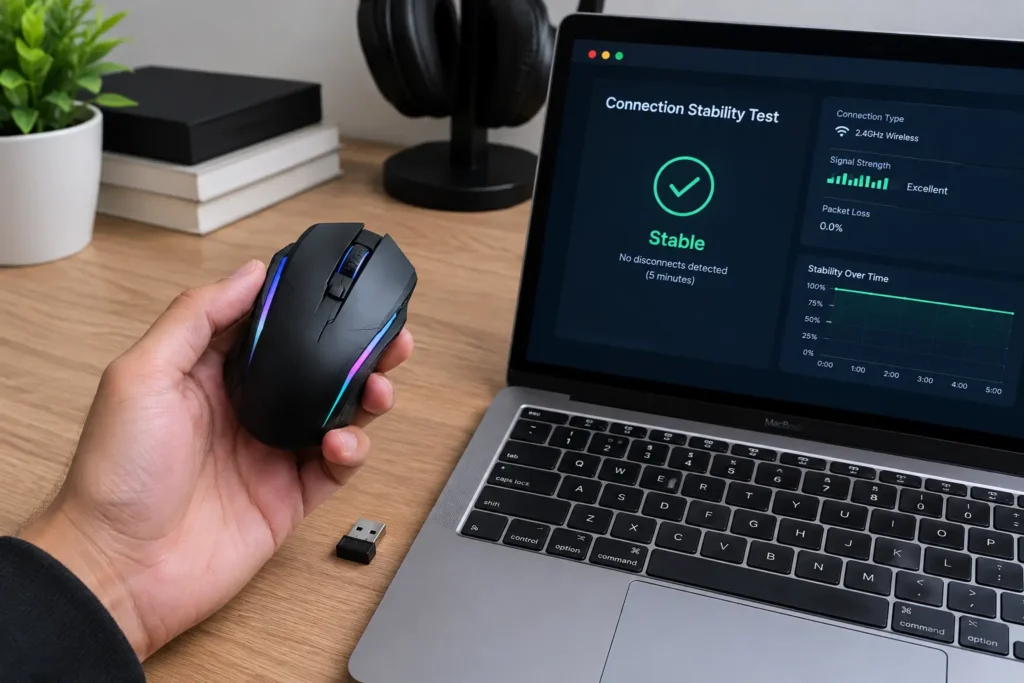
This is the one I would tell a friend to just buy. Comfortable ergonomic shape, colorful LED backlighting, and a 2.4GHz connection that keeps things smooth for gaming and everyday stuff. Minecraft, Roblox, Fortnite, homework: fine, fine, fine, fine.
DPI goes up to 3600 and you can switch between levels depending on what you are playing. Rechargeable battery means no more buying AAs. USB receiver plugs into a Windows PC, a laptop, even consoles that take USB mice. Our team ran it through a stretch of mixed casual sessions mainly to see if the connection would drop out; it did not. No stutter, no weird lag spikes. The textured grip and responsive buttons help during longer sessions too.
Is it going to beat a premium esports mouse? Obviously not. But for a beginner or casual player who just wants something cheap and wireless that works? Hard to argue with.
Where It Shines
- Connection stayed stable in testing, no dropouts
- Adjustable DPI up to 3600 covers casual play fine
- Rechargeable battery means no disposable batteries
- Setup takes seconds
Where It Lags
- Not for professional esports
- Software customization is limited
- The sensor’s basic compared to premium mice
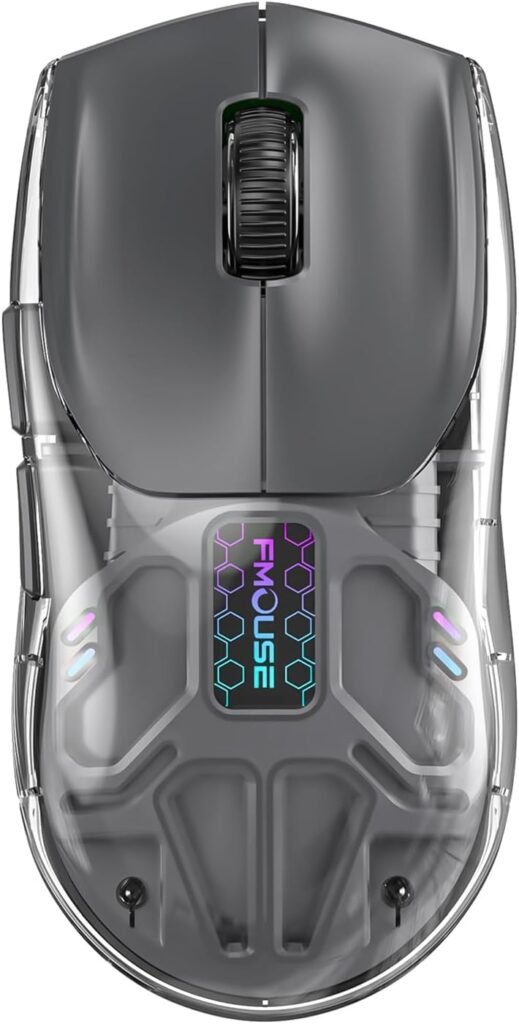
Okay, this one’s a bit of a show-off. Transparent shell, RGB glowing through it, around 70 grams. Easy to move across the pad, suits fast movement, and it looks like something that should cost three times more.
Tri-mode connectivity is the real surprise: 2.4 GHz, Bluetooth, or USB-C wired. Up to 4800 DPI, a 1000Hz polling rate, five programmable buttons. That’s more flexibility than most competitors at this price even try. Curious what polling rate actually changes? We explain it here. The 400mAh battery handles gaming, office work, everyday use without you thinking about charging every other day. People who picked this mostly for the look keep saying it feels lighter and more premium than they expected. Fair.
Where It Shines
- 70g is light without feeling flimsy
- Tri-mode connectivity is rare at this price
- Five programmable buttons add real flexibility
- The transparent shell actually looks good
Where It Lags
- Software support is limited
- Smaller size may not suit large hands
- Build quality is not as premium as high-end mice

RGB on a budget. That’s the pitch. Ergonomic shape that fits comfortably, colorful lighting that makes a setup look a bit more put-together. For casual play or everyday computer tasks, it balances style and function fine.
3600 DPI optical sensor tracks well for browsing, office work, and games like Minecraft, Roblox, League of Legends, Fortnite. Stable 2.4GHz connection, rechargeable battery, plug-and-play USB. Standard stuff, done properly. Want more options at a higher budget? Our full wireless guide covers every price range.
The light build helps with fatigue during longer sessions. It would not replace a premium mouse: no fancy software, no top-tier sensor. But it covers what matters at this price. Buyers who got it mainly for the RGB keep saying the lighting looks better in person than in the photos, which is not something you can say about most budget RGB.
Where It Shines
- RGB looks good in person, not washed out
- Comfortable ergonomic shape
- Stable 2.4GHz connection
- Rechargeable battery is a real convenience
Where It Lags
- Limited software customization
- Not built for competitive esports
- Build quality is basic next to premium models

Good pick if you are bouncing between devices. 2.4GHz plus Bluetooth means you can switch between a desktop, laptop, or tablet without yanking the receiver out every time. Useful if the mouse does double duty for work or study.
80 grams, quiet buttons, DPI at 800 / 1200 / 1600, and a 500mAh rechargeable battery that lasts. RGB backlighting for the gaming look, ergonomic shape that stays comfortable through extended sessions. We actually swapped this between a desktop and a laptop over a few days to see how smooth the switching was. Reconnected in a couple of seconds every single time. Exactly what you want. Prefer wired? Our under-$20 wired guide has solid picks.
Where It Shines
- Switching between 2.4GHz and Bluetooth is fast and reliable
- Quiet buttons are noticeably less distracting
- 500mAh battery lasts well
- Lightweight and comfortable
Where It Lags
- Max 1600 DPI would not suit competitive players
- Limited customization
- Not built for high-level esports

One Response