
Best Wireless Gaming Mouse Under $20
Under $20 for a wireless mouse used to mean picking your compromise. Not really the case anymore. Wireless connectivity, rechargeable batteries, adjustable DPI, RGB, programmable buttons, shapes actually built for; a hand all of it shows up here now without asking for real money.
Going wireless at this price cleans up your desk too. No cable drag, nothing snagging mid-flick. Casual gaming, everyday PC stuff, Fortnite, Minecraft, Roblox, whatever you are actually into; an affordable wireless mouse gets you more than the price tag suggests.
We picked five and judged them on connectivity, sensor performance, comfort, battery convenience, and overall value. Not whichever bullet point sounded flashiest.
Our Top Recommendation
Not sure what you need yet? Redragon M730 PRO. High DPI, macro support, RGB, real comfort; it does not skip anywhere, and people who grabbed it without a strong preference tend to say it just covered whatever they needed anyway.
Need quiet clicks, late nights, shared room, does not matter why? TENMOS V7, built for exactly that. Bouncing between a couple devices? Uciefy gives real tri-mode flexibility plus a battery readout you will actually check. Want more buttons to play with? RisoPhy PC400. Just want something cheap that still feels like a real mouse? TENMOS T12 does that honestly.
Not About the Biggest DPI Number Here
Picking well under $20 is not about sacrificing every useful feature. It’s matching what’s actually there to what you need. Wireless connectivity, a shape that fits your hand, adjustable DPI, rechargeable batteries, programmable buttons: this stuff makes a real difference day to day, more than you would expect from a mouse this cheap.
Competitive players usually care most about responsiveness and consistency. Casual players care more about comfort, battery life, quiet clicks, or just not fighting a cable. Still weighing wireless against wired? Here’s the actual breakdown before you commit either way.
What We Actually Focused On
Wireless stability, sensor performance, DPI options, comfort, button layout, battery convenience, how these things hold up once you have had them a while. Low price matters, sure, but it still has to be dependable; otherwise the savings are not really savings, they are just a return waiting to happen.
We treated different users differently instead of judging everything on one checklist. Some people want programmable controls and higher DPI. Others just want quiet clicks and something portable. That’s why this list covers different priorities instead of five versions of the same mouse with different paint jobs.
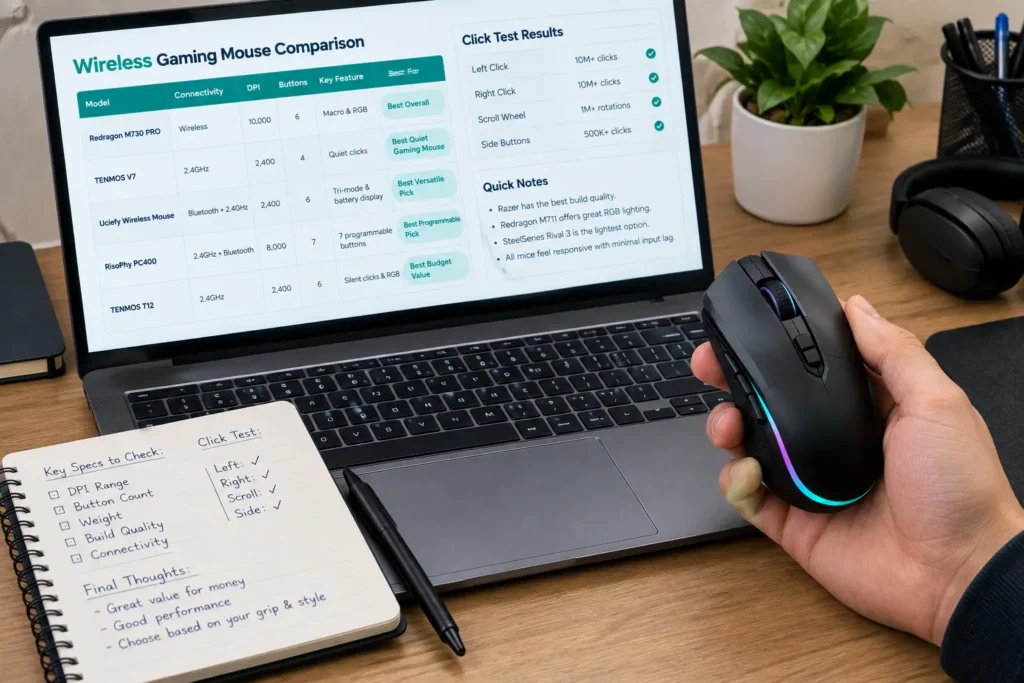
Quick Comparison Table
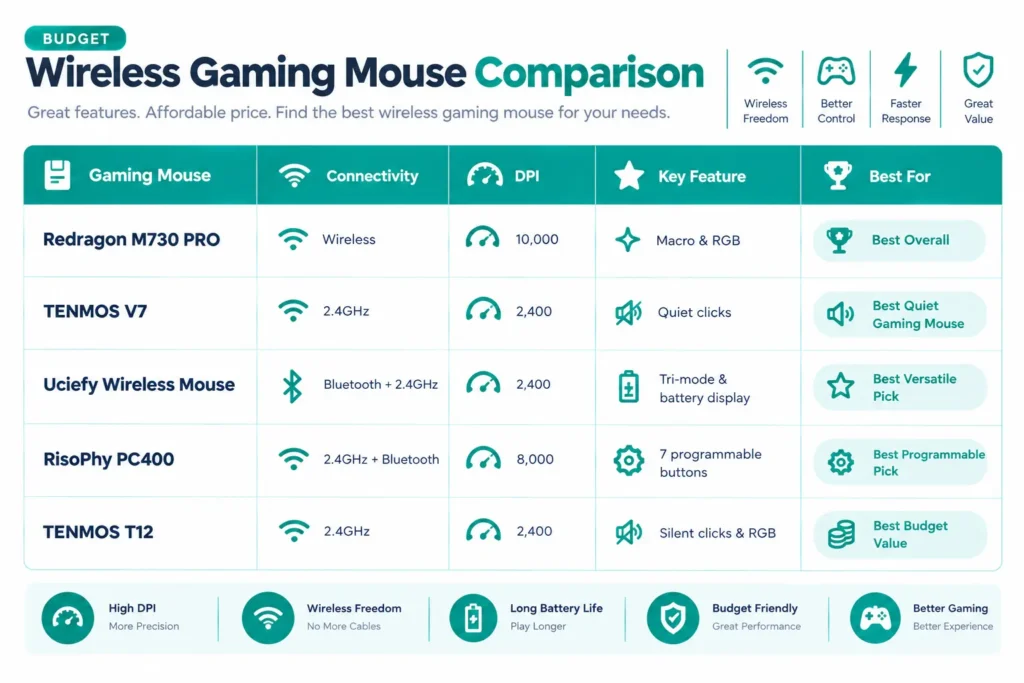
| Gaming Mouse | Connectivity | DPI | Key Feature | Best For |
|---|---|---|---|---|
| Redragon M730 PRO | Wireless | 10,000 | Macro & RGB | Best Overall |
| TENMOS V7 | 2.4GHz | 2,400 | Quiet clicks | Best Quiet Gaming Mouse |
| Uciefy Wireless Mouse | Bluetooth + 2.4GHz | 2,400 | Tri-mode & battery display | Best Versatile Pick |
| RisoPhy PC400 | 2.4GHz + Bluetooth | 8,000 | 7 programmable buttons | Best Programmable Pick |
| TENMOS T12 | 2.4GHz | 2,400 | Silent clicks & RGB | Best Budget Value |
Best Wireless Gaming Mice Under $20 Reviews
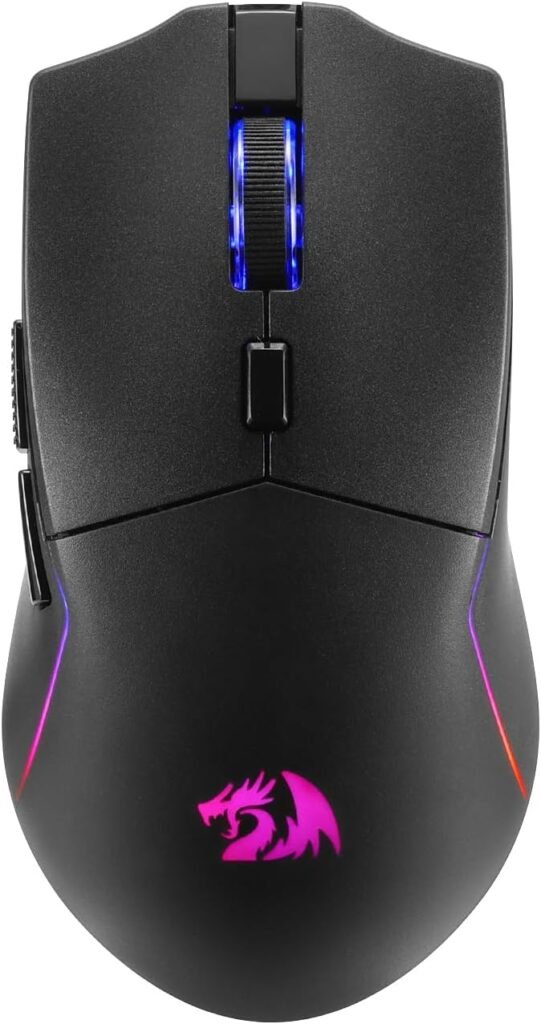
Takes the top spot by not skimping anywhere. Lightweight ergonomic build, comfortable through long sessions, and wireless means no cable drag getting in the way when you flick fast.
10,000 DPI gives plenty of range for different playstyles. The wireless connection stays responsive too, no lag creeping in like people sometimes worry about at this price. Our team ran this through a stretch of fast-paced sessions specifically to check whether the connection held up under quick, repeated movement, and it tracked clean the whole time. No dropped inputs, no stutter. Programmable keybinding and macro support let you set up controls per game, which is genuinely more than you’d expect at this price.
RGB rounds it out with a look that fits a modern setup, not tacked on as an afterthought. People gaming across a few different titles keep bringing up how much the macro support actually gets used once it’s set up, not just a checkbox nobody touches.
Where It Shines
- 10,000 DPI sensor provides genuine range and versatility across varied gaming genres
- Low-latency wireless connection remains rock-solid during rapid, repeated movements
- Macro button support offers practical, real-world utility rather than spec-sheet filler
- Ergonomic contouring ensures a comfortable grip over prolonged gaming sessions
Where It Lags
- Companion software features a slight learning curve before navigation becomes smooth
- Overall weight carries more mass compared to dedicated ultra-lightweight esports options
- Deeper feature set and macro configurations may go underutilized by purely casual players
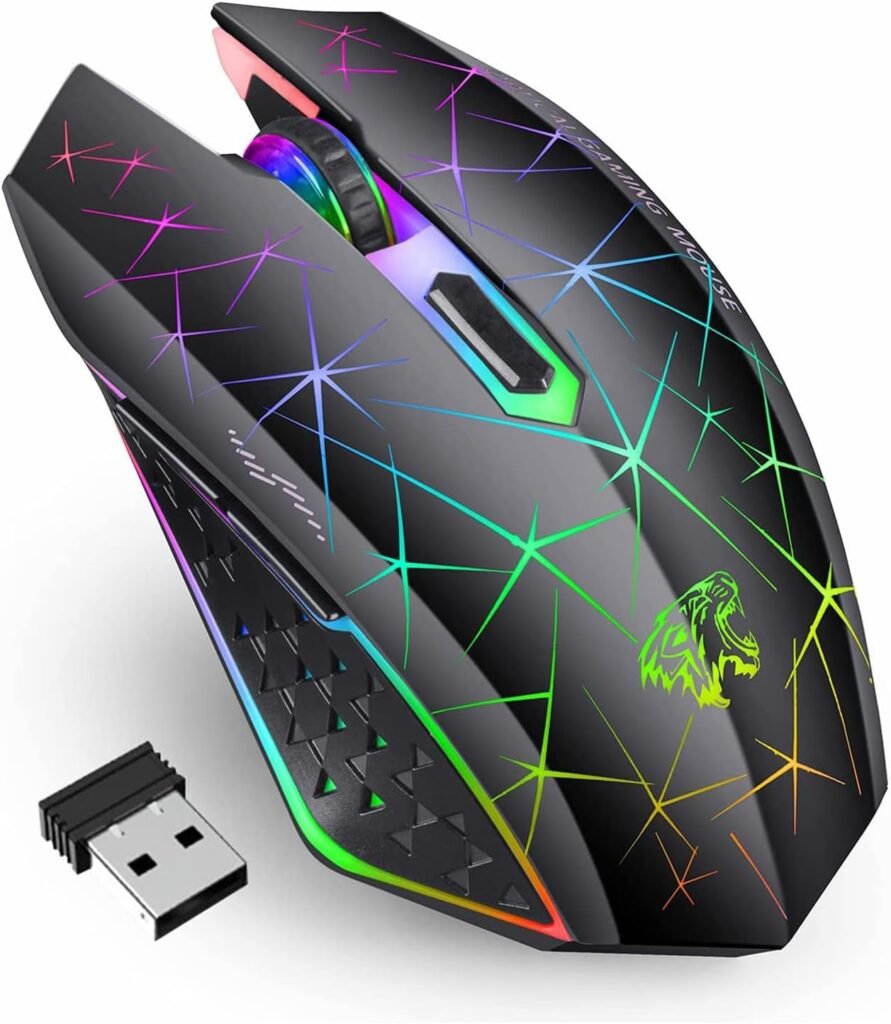
Built for anyone who’s gotten a side-eye for clicking too loud. Quiet-click buttons cut noise noticeably: it matters a lot more than you would think once you are gaming late at night, sharing a room, or sitting in an office.
2.4GHz connection with a nano receiver, simple setup, 2400 DPI optical sensor that covers casual and everyday use fine. Side buttons and rainbow LED add some flair without overcomplicating anything. People who bought this specifically for the quiet clicks keep saying the difference is obvious next to a standard mouse; not subtle, immediately noticeable once you have heard both back to back.
Where It Shines
- Silent click switches deliver genuine noise reduction rather than empty marketing claims
- 2.4GHz wireless connectivity provides a stable, low-friction, plug-and-play experience
- Ergonomic contouring ensures comfortable daily support for work and casual use
- Rainbow LED backlighting adds a pleasant aesthetic touch for an entry-level price
Where It Lags
- DPI range trails several competing mice in this class
- Customization features and button remapping options are minimal
- Suited primarily for general office use and casual gaming rather than competitive play
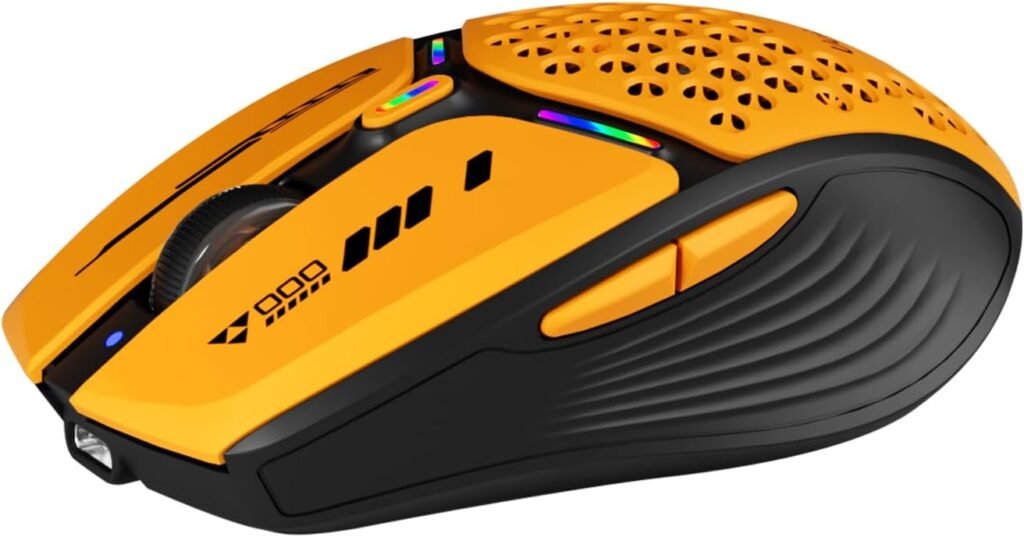
For anyone who wants more flexibility than a plain 2.4GHz-only mouse gives you. Tri-mode, Bluetooth 5.0/5.1 plus 2.4GHz, means you are not locked to one device, which matters if you bounce between a gaming PC, a laptop, whatever else you have got.
Rechargeable USB-C skips the disposable battery cycle entirely. The battery display is actually readable, so you know when it needs juice instead of guessing and getting caught out mid-session. Honeycomb magnetic shell gives it a distinctive look while staying portable. Our team tracked the battery readout’s accuracy over about two weeks of regular use to see if it matched real remaining charge, and it stayed accurate the whole stretch; no surprise dead battery halfway through a match.
Where It Shines
- Dual-mode wireless connectivity with 2.4GHz and Bluetooth for flexible device pairing
- 8,000 DPI optical sensor delivers smooth, reliable, and adjustable tracking sensitivity
- Seven programmable buttons provide real tactical utility for macros and custom shortcuts
- Ergonomic contouring ensures sustained comfort during extended gaming sessions
- RGB backlighting offers a modern, high-end aesthetic at an accessible price point
Where It Lags
- Lacks the ultra-high DPI ceilings and optical switch speeds of flagship competitive mice
- Seven-button layout may offer more input complexity than minimalist FPS players require
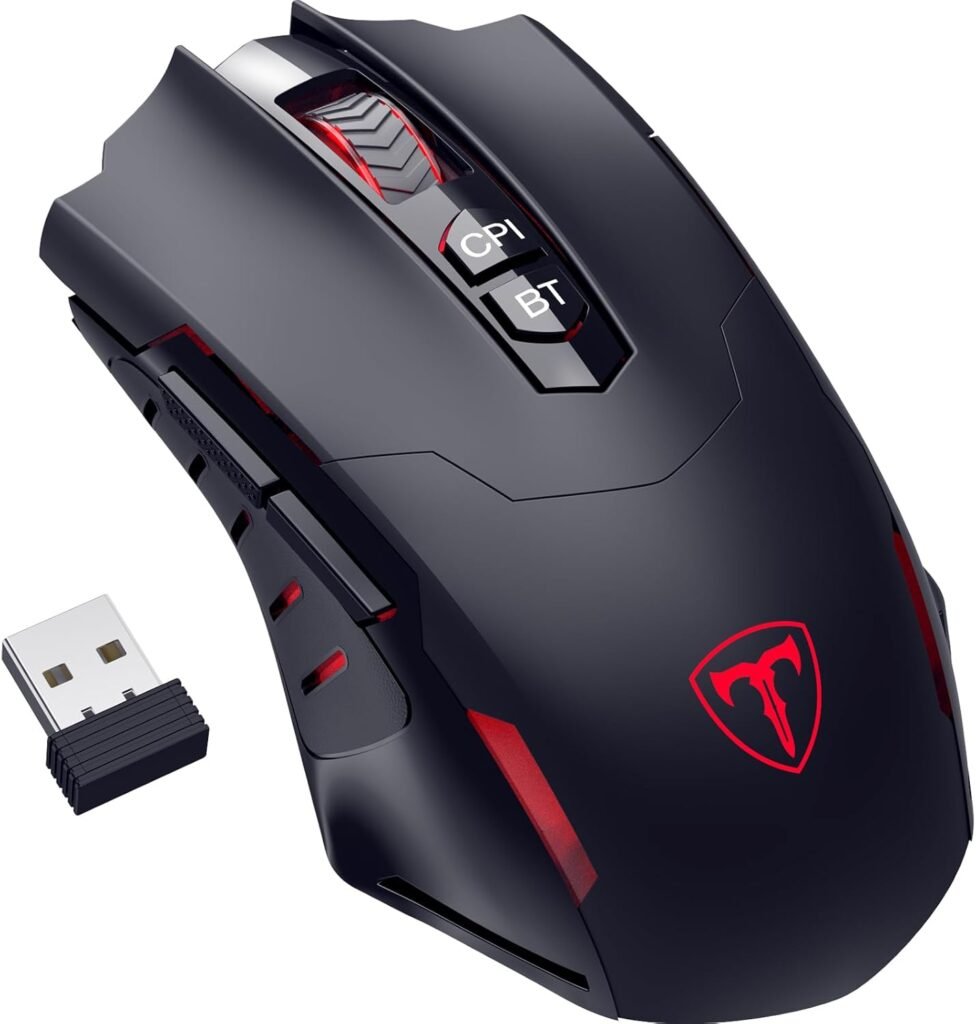
For gamers who want more control without paying premium prices. Ergonomic design stays comfortable through longer sessions, RGB backlighting gives it a look that does not feel out of place next to pricier gear.
2.4GHz and Bluetooth, plus an 8,000 DPI sensor, cover adjustable sensitivity well. Seven programmable buttons let you actually assign commands and shortcuts instead of settling for a basic two-button layout. Players using it across a mix of genres keep mentioning how seven real buttons at this price feels like a genuine step up from what they expected going in.
Where It Shines
- Seven programmable buttons offer generous input flexibility for the price
- 8,000 DPI sensor provides genuine sensitivity range across tasks
- Dual wireless connectivity adds meaningful real-world versatility
- Ergonomic shape maintains solid comfort through extended gaming sessions
Where It Lags
- Fewer side buttons than dedicated, multi-button MMO peripherals
- Software customization depth trails suites offered by premium brands
- Overall chassis weight carries more mass than dedicated ultralight alternatives
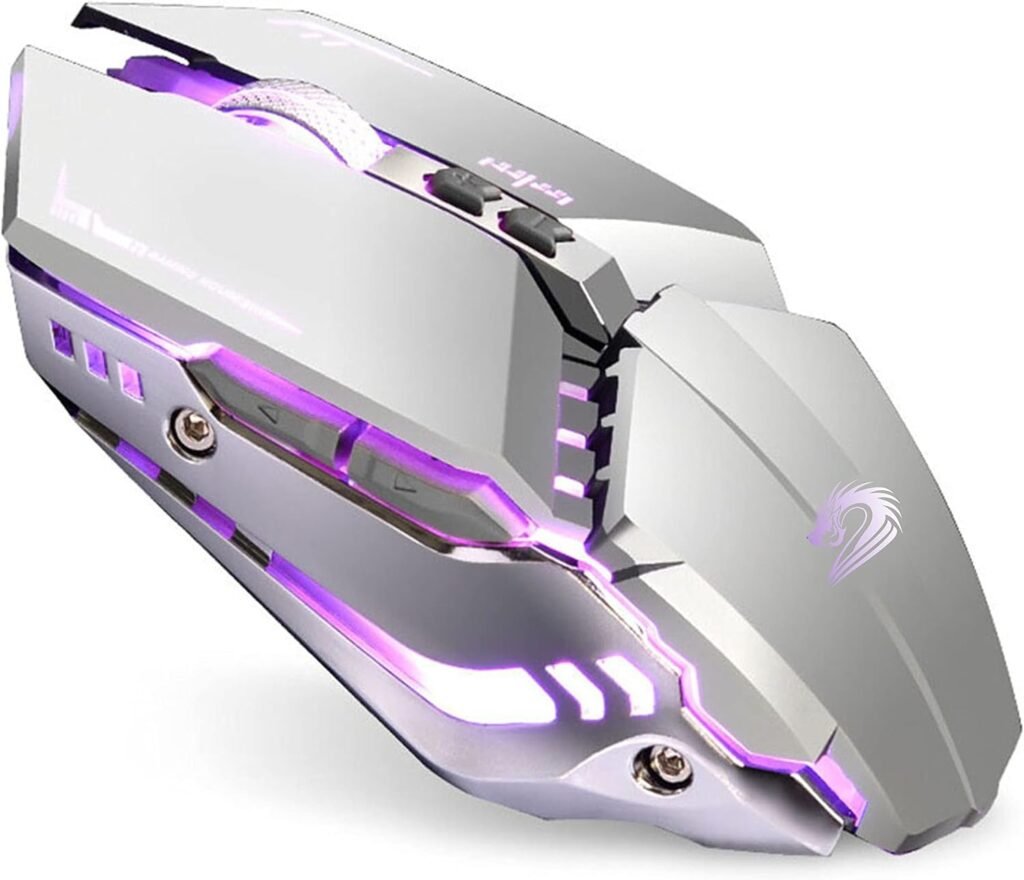
The honest budget pick; it does not pretend to be more than that. Ergonomic shape, comfortable grip for everyday use, quiet-click buttons for anyone who does not want loud clicking mid-session. Silver finish and multi-color LED give it a clean look without trying too hard.
2.4GHz optical connection, nano receiver, simple setup. Three adjustable DPI levels let you change sensitivity to match whatever you are playing. Rechargeable USB-C kills disposable batteries from the equation; it matters more than you would think once you have actually stopped buying AAs every few weeks.
Where It Shines
- Quiet clicks work well, noticeably less distracting than standard buttons
- Rechargeable USB-C is genuinely convenient day to day
- Three DPI levels give reasonable flexibility
- Colorful LED is a nice touch for the price
Where It Lags
- DPI adjustment is limited next to pricier options
- Not built for competitive esports
- Fewer advanced features than the rest of this list
Final Thoughts
A good wireless gaming mouse under $20 does not mean giving up every useful feature anymore. The budget tier now offers real wireless connectivity, rechargeable designs, adjustable DPI, RGB, and programmable controls that genuinely handle casual gaming and everyday computing well.
Redragon M730 PRO wins overall for combining performance, customization, and value. TENMOS V7 if quiet clicks are your priority. Uciefy if you need real flexibility across devices. RisoPhy PC400 for programmable controls. TENMOS T12 if you just want something honestly affordable.
Five options, five different priorities; pick based on what you actually need, not whichever one happened to have the biggest DPI number on the label.
Frequently Asked Questions (FAQs)
We cannot physically test every product in every roundup — with dozens of gaming mice covered across this site, that’s simply not realistic for our team. What we do instead is verify every listing against the manufacturer’s official specs, cross-check claims across multiple independent reviews and long-term user reports, and pull out patterns from real buyer experiences on platforms like Amazon. When we do get hands-on with a specific product, we will say so directly in that section.
Our recommendations reflect what verified users and independent testers consistently report — not just what a spec sheet promises. If something looks great on paper but users repeatedly flag an issue, we mention it. That’s the standard we hold every pick on this list to.
2 Responses