
Best Transparent Gaming Mouse: 5 Picks Worth Showing Off
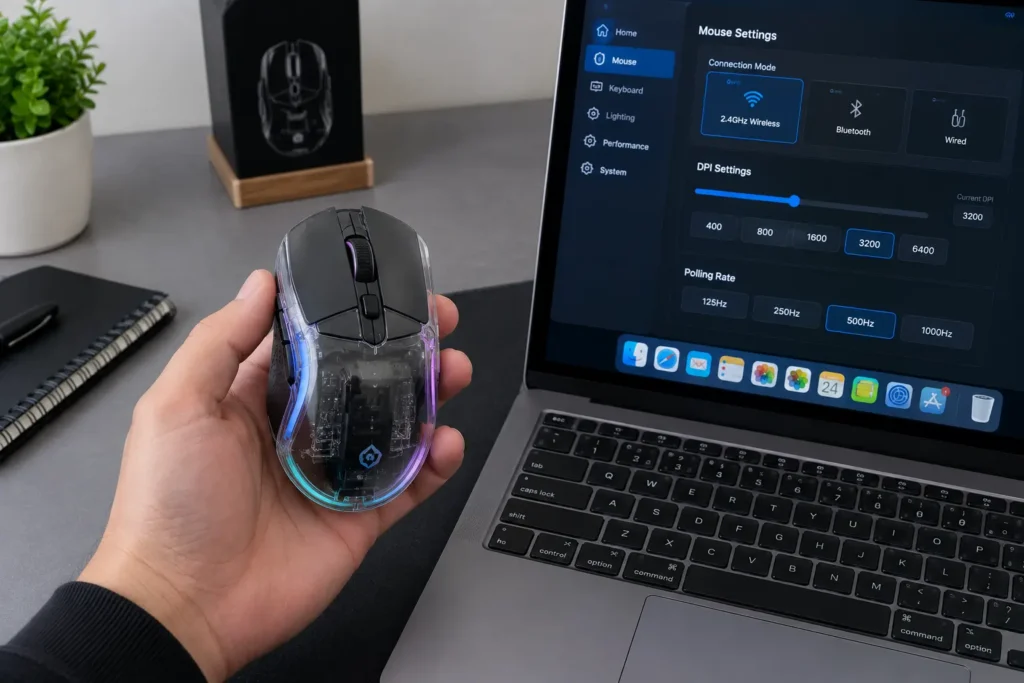
Transparent mice are a bit of a flex, honestly. You can see the guts, the RGB glows straight through the shell, and the whole thing looks like it wandered off a sci-fi set. Easy to write off as style over substance. But the good ones actually back it up with real features, and a couple turn out to be genuinely practical once you are using them day to day.
Worth being upfront about what these actually are, though. Built around looks and everyday usability, not esports. None of them will out-track a flagship competitive mouse, and none of them are even trying to. What they offer instead is wireless flexibility, quiet clicks, multi-device pairing, and plenty of light, all without a price tag that stings.
Five mice made this list. Every spec below comes straight off the product listings, nothing padded.
Our Top Recommendation
Want the safest pick here? ATTACK SHARK X2 Pro. Tri-mode connectivity, noiseless clicks, a PixArt 3212 sensor, and an RGB charging dock that looks good enough to double as a display piece on its own. Does the most without tipping into gimmick territory.
Love gadgets that do something a little unexpected? FREEWOLF A2 has an actual digital screen built into the shell. Prefer a cable and more buttons to work with? Redragon M695CT. Want the white crystal look specifically? HXMJ nails that better than anything else here. Need one mouse that travels between a laptop, tablet, and desktop? FMOUSE pairs with three devices without missing a beat.
Pretty Is Great, Here’s What You are Actually Trading
Honest take first. Transparent mice trade serious tracking performance for style, and that trade is really the whole point of buying one. Most run fairly modest sensors, none are built for competitive play. Genuinely great for casual gaming, office work, and a desk setup that actually looks good in photos. Need esports-level precision instead? A proper performance mouse is the better call, and our guide to choosing the right gaming mouse can point you toward one.
There’s also upkeep worth mentioning before you buy. Clear shells show smudges and dust a lot more than solid ones do, and you will notice it faster than you would expect. A quick wipe now and then takes care of it, and this cleaning guide walks through how.
How We Narrowed It Down
Looks mattered here, obviously, that’s half the appeal of this category. But so did connectivity, click noise, battery convenience, and how each mouse actually behaves once you are using it regularly. Since most of these run wireless, stable pairing and easy charging carried real weight in the final call. Torn between cable and no cable in general? This wired vs. wireless breakdown covers the real trade-offs.
We also wanted genuine variety across the list, a dock, a screen, a wired option, a crystal shell, a multi-device pick. Each one does something a little different.
Quick Comparison Table
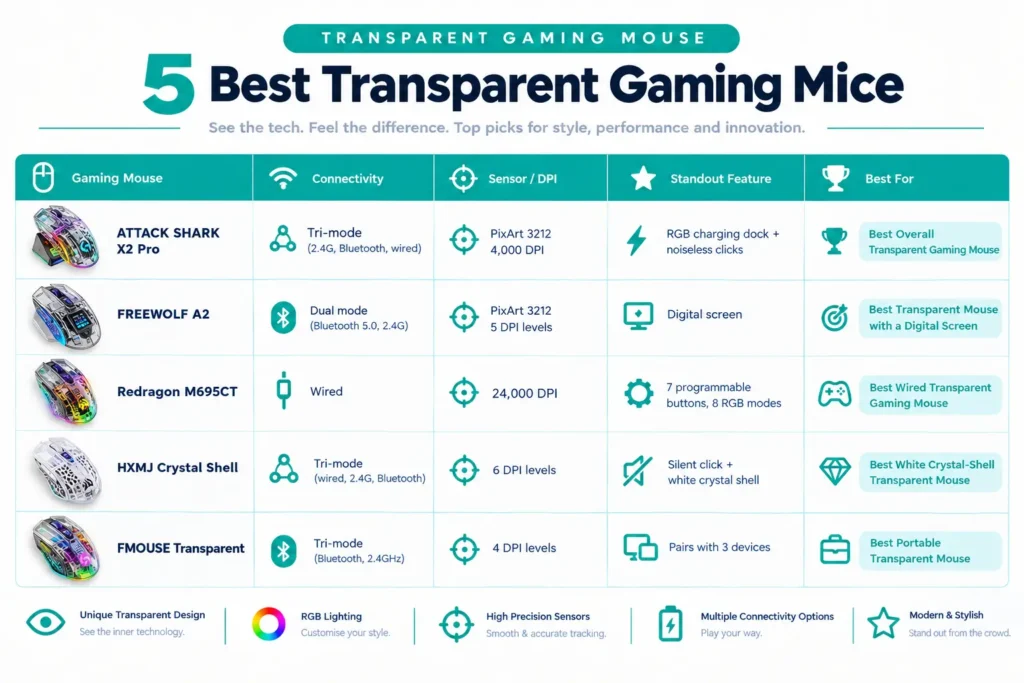
| Gaming Mouse | Connectivity | Sensor / DPI | Standout Feature | Best For |
|---|---|---|---|---|
| ATTACK SHARK X2 Pro | Tri-mode (2.4G, Bluetooth, wired) | PixArt 3212, 4,000 DPI | RGB charging dock + noiseless clicks | Best Overall Transparent Gaming Mouse |
| FREEWOLF A2 | Dual mode (Bluetooth 5.0, 2.4G) | PixArt 3212, 5 DPI levels | Digital screen | Best Transparent Mouse with a Digital Screen |
| Redragon M695CT | Wired | 24,000 DPI | 7 programmable buttons, 8 RGB modes | Best Wired Transparent Gaming Mouse |
| HXMJ Crystal Shell | Tri-mode (wired, 2.4G, Bluetooth) | 6 DPI levels | Silent click + white crystal shell | Best White Crystal-Shell Transparent Mouse |
| FMOUSE Transparent | Tri-mode (Bluetooth, 2.4GHz) | 4 DPI levels | Pairs with 3 devices | Best Portable Transparent Gaming Mouse |
Best Transparent Gaming Mice, Reviewed

This is the full-featured one on this list. Tri-mode connectivity across 2.4G, Bluetooth, and wired, a PixArt 3212 sensor at 4,000 DPI, noiseless clicks, RGB backlighting, a transparent shell, and an RGB charging dock all come together here. Works with both Windows and Mac.
The dock is genuinely the fun part of owning this one. Set it down, it charges, and it looks good the entire time it’s doing that. Our team left it on the dock overnight and picked it up every morning for several days straight, and it was ready to go each time without fail. No digging around for a cable first thing. Players switching over from a plain USB-charged mouse keep saying the dock genuinely changes how often they even think about battery level.
Noiseless clicks matter more than you would expect going in. Late-night sessions, shared rooms, open offices, all of it benefits from a quieter click. 4,000 DPI reads as modest on paper, but it’s plenty for casual play and regular everyday work.
Pros
- Tri-mode connectivity
- Noiseless clicks
- RGB charging dock
- Transparent shell
- PixArt 3212 sensor
- Windows and Mac support
Cons
- 4,000 DPI is not meant for competitive play
- The dock takes up real desk space
- Clear shells show smudges more than solid ones
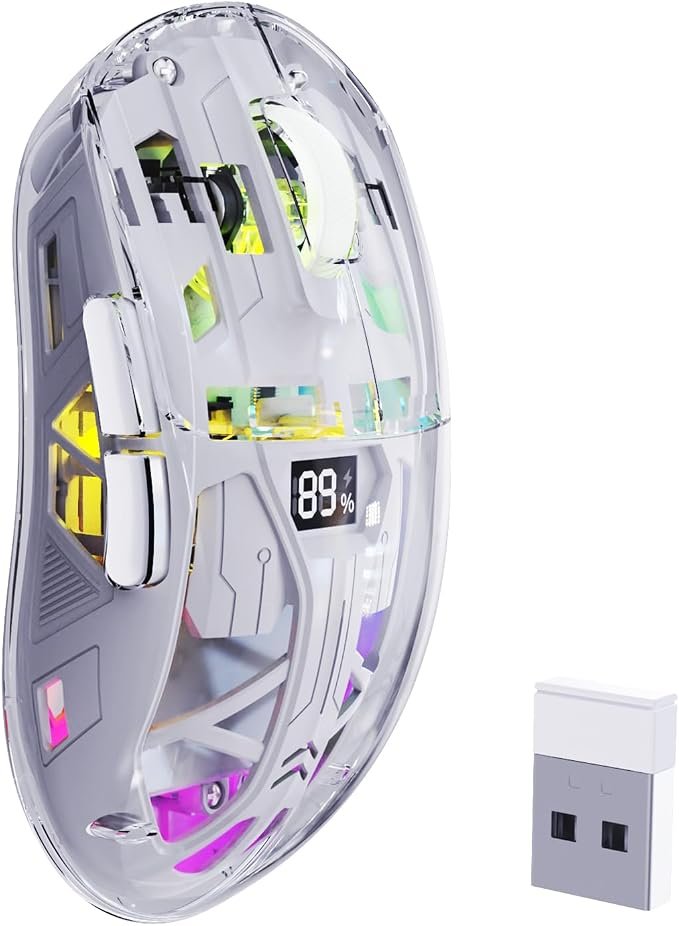
A built-in digital screen is not something you see on many mice, and that’s really the whole reason to pick this one over the rest. Pair that screen with a transparent shell, dual-mode Bluetooth 5.0 and 2.4G, a PixArt 3212 sensor with five adjustable DPI levels, a rechargeable battery, silent clicks, and RGB backlight, and you get something genuinely different from everything else here. Works with Windows and Mac.
The screen is what makes this one worth talking about. Instead of guessing which DPI level you are on, you just read it off the shell. Our team cycled through all five DPI levels and checked the screen against how the cursor actually moved, and the readout kept pace with every change without lagging behind the click itself.
Buyers who picked it up mainly for the novelty say the screen turned out more useful than expected, especially for checking DPI and battery without needing to open any software. Gimmicky in the best possible way. Not a performance mouse by any stretch, but it makes everyday use a little more fun than it probably needs to.
Pros
- Digital screen for quick status checks
- Five DPI levels
- Dual-mode connectivity
- Rechargeable battery
- Silent clicks
- RGB backlight
Cons
- Modest sensor for anyone chasing serious gaming performance
- The screen is a feature you may not actually need
- It only offers dual mode with no wired option listed
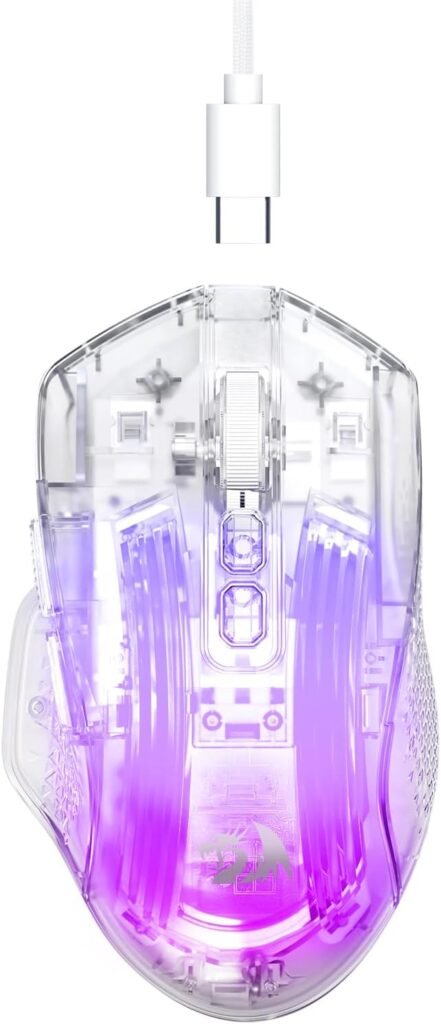
The only wired mouse on this list, and also the only one with a real button count worth mentioning. A clear transparent shell in white, 24,000 DPI, seven programmable buttons including two side buttons, eight RGB LED backlight modes, and a soft cable round it out. Works with PC, Mac, and Xbox.
Going wired means no battery to ever think about. Players who wanted a see-through mouse but did not want the hassle of charging anything keep picking this one specifically, and they mention the soft cable does not drag or snag the way a stiffer cable sometimes does. Want more budget wired options beyond this one? Our under-$20 wired guide has plenty to compare against. That 24,000 DPI figure is mostly bragging rights at this point, and here’s what DPI actually does if you want the fuller explanation.
Pros
- Clear transparent shell
- Seven programmable buttons
- Two side buttons
- Eight RGB modes
- A soft cable
- Compatibility with PC, Mac, and Xbox
Cons
- 24,000 DPI is far beyond what anyone actually needs
- It’s wired only
- The white shell shows dirt fairly easily

A white crystal-style transparent shell paired with tri-mode connectivity across USB wired, 2.4G wireless, and Bluetooth, plus a silent click and RGB backlight. The listing itself does not state a DPI figure or sensor model, so there’s not much to say about the actual tracking specs beyond what’s visible on the shell.
What you do get is a clean, quiet look that genuinely stands out on a desk. Buyers who chose this one specifically for the aesthetic say the white crystal finish looks great paired with a lighter desk setup, and that the silent click feels like a real upgrade over a standard mouse’s usual clatter.
Pros
- White crystal shell
- Tri-mode connectivity
- Silent click
- RGB backlight
Cons
- No DPI or sensor details listed anywhere
- It’s not meant for competitive play
- The white finish shows smudges easily
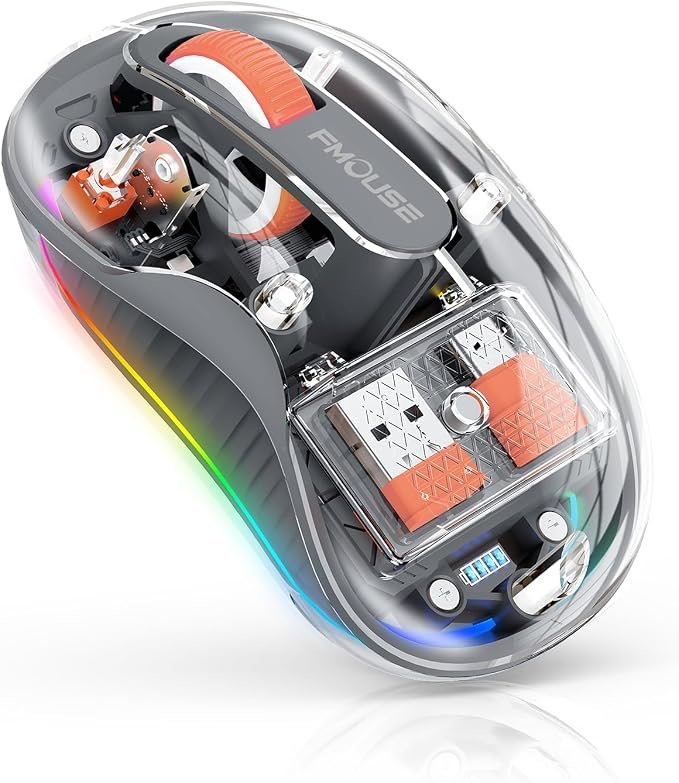
Made specifically for people who bounce between devices throughout the day. Tri-mode Bluetooth and 2.4GHz, a USB-A and USB-C receiver, rechargeable, pairing with up to three devices at once including a MacBook, laptop, iPad, or PC, silent clicks, RGB, four DPI levels, and a grey transparent shell round out the package.
Our team paired it with a laptop, a tablet, and a desktop, then switched between all three across a full day of regular use. Each switch took only a couple of seconds, and it never once dropped a connection the whole time. The dual receiver also means it works fine with newer USB-C-only laptops without needing a separate adapter.
Travelers and students say this is the one that genuinely lives in a bag, since it’s portable and quiet enough not to draw attention anywhere. More of a daily-use mouse than a gaming one, and it does not pretend otherwise.
Pros
- Pairs with three devices
- USB-A and USB-C receiver
- Rechargeable
- Silent clicks
- Four DPI levels
- Genuinely portable
Cons
- Not built for serious gaming
- Only four DPI levels to choose from
- The grey shell shows fingerprints fairly easily
Final Thoughts
Transparent mice are about looks first, and that’s perfectly fine as long as you know that going in. The ATTACK SHARK X2 Pro is the best overall pick here, with its charging dock and tri-mode setup covering the most ground. The FREEWOLF A2 is the fun option thanks to its built-in screen. The Redragon M695CT suits anyone who wants wired with more buttons to play with. The HXMJ is the clean white crystal option for a specific look, and the FMOUSE is the one to carry between devices throughout the day.
Pick whichever one actually fits your desk and your daily routine. If you need competitive-level performance, step up to a proper gaming mouse instead. If you want something that looks great and still works well day to day, any of these five will get the job done.
Frequently Asked Questions (FAQs)
We cannot physically test every product in every roundup — with dozens of gaming mice covered across this site, that’s simply not realistic for our team. What we do instead is verify every listing against the manufacturer’s official specs, cross-check claims across multiple independent reviews and long-term user reports, and pull out patterns from real buyer experiences on platforms like Amazon. When we do get hands-on with a specific product, we will say so directly in that section.
Our recommendations reflect what verified users and independent testers consistently report — not just what a spec sheet promises. If something looks great on paper but users repeatedly flag an issue, we mention it. That’s the standard we hold every pick on this list to.