
Best Wired Gaming Mouse Under $10
Ten bucks. That’s all you have got to spend, and I get why the first thought is “it will be garbage.” Shaky tracking, a shell that cramps your hand, a left click that starts double-firing after three weeks. Sure, that happens, mostly with the no-name stuff. But some cheap wired mice are honestly better than they have any right to be now. Fine for casual games, school, a full day of spreadsheets, and a couple of them could even carry you through your first taste of competitive play.
Nobody needs to drop $50 to get a mouse that feels snappy. Adjustable DPI, RGB, a shape that fits a normal hand, even quiet clicks: it’s all available under $10 these days. Is it esports gear? No. It was never supposed to be.
We compared five real listings on build, comfort, sensor specs, durability, and value. The specs you will see below come straight off the product pages. Nothing got rounded up to make a mouse sound cooler than it is.
Our Top Recommendation
If you are only going to read one paragraph, read this one: buy the SMAIGE. Six buttons, four DPI steps up to 3200, a breathing LED effect, and it’s pitched at gaming and office use both. For under ten dollars that’s just about everything most people will ever ask a mouse to do.
Now, if you would rather have something light and quiet, the REBOCOON is 50 grams with silent clicks. RGB nerds should go for the MELOGAGA. Want more buttons to bind? The ONIKUMA has seven. And if your PC is old enough to still be running XP or Vista, the Guiheng is the one that says it will work.
What $10 Actually Gets You
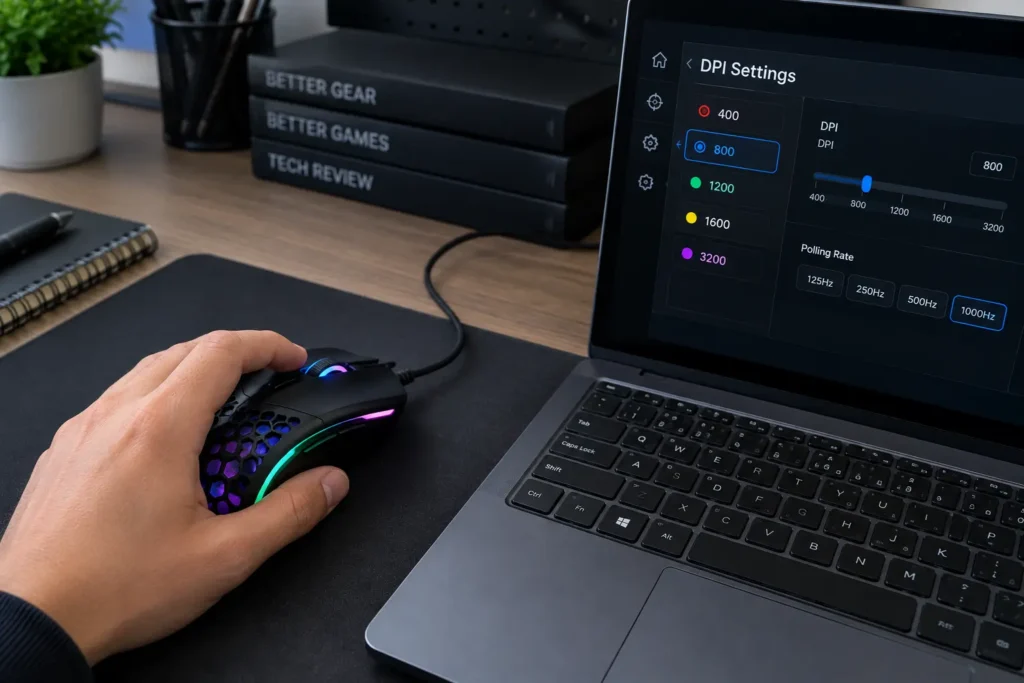
You touch the mouse constantly, more than the keyboard, more than anything else on the desk. So when it’s bad, you feel it: aim wanders, clicks feel mushy, your hand’s tired an hour in. A decent one fixes most of that without you noticing, which is kind of the whole point. Not sure what DPI even means? This guide explains it, and it will save you from cranking the setting up and watching your cursor rocket off the screen.
Shopping this cheap has a side benefit too. The money you do not spend on the mouse can go to a keyboard, a headset, or a bigger mouse pad, which honestly does more for most people than a fancier mouse would. Later on, if you can stretch the budget, our under-$15 wired guide shows what a few extra dollars buys. And if you are still on the fence about wired versus wireless, here’s the comparison.
Where These Five Came From
Build quality, sensors, comfort, durability, value for money. That’s what we weighed, and we stuck to specs that are actually printed on the product pages. Listings only tell you so much, though. A $10 mouse can look great in photos and feel awful a month in, so we paid attention to how each one holds up once you have really been using it. Polling rate plays a small part too, and our polling rate guide covers why.
Every mouse on this list works fine for casual players and for anyone looking for an budget pick.
Quick Comparison Table
| Gaming Mouse | Max DPI | Buttons | Standout Feature | Best For |
|---|---|---|---|---|
| SMAIGE Gaming Mouse | 3200 DPI (4 levels) | 6 | 7 circular breathing LED lights | Best Overall |
| REBOCOON Wired Gaming Mouse | 2400 DPI (4 levels) | 6 | 50g body + silent clicks | Best Lightweight & Silent |
| MELOGAGA Wired Gaming Mouse | 1200–3200 DPI (4 levels) | 6 | Quiet click + 7-color RGB | Best Budget RGB Value |
| ONIKUMA Wired PC Gaming Mouse | Adjustable DPI | 7 programmable | High-precision sensor + RGB | Best Programmable Pick |
| Guiheng Wired Gaming Mouse | 800–3200 DPI | 7 programmable | Wide OS compatibility | Best for Older PCs |

Best Wired Gaming Mice Under $10 Reviews
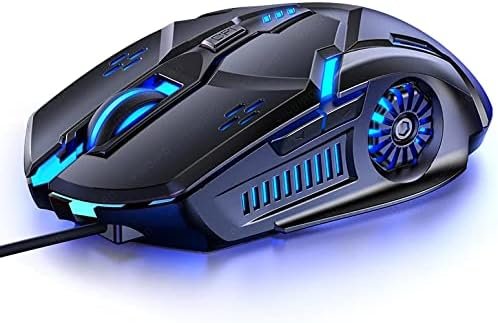
Six buttons. Four DPI levels, capped at 3200. Seven little circular LEDs that pulse in a breathing pattern. It’s sold for games and for office work, and it does both without any obvious weak spot, which is more than you can say for most mice at this price.
DPI switching is fast: drop it low when you need to aim carefully, bump it back up for normal desktop use. Our team used it across a few mixed sessions of casual games and regular office tasks, mostly to see whether the buttons and DPI switching stayed consistent, and they did. No missed clicks, no strange jumps between levels. People who bought it as their first gaming mouse keep saying the same thing: they did not expect this many buttons and this much lighting for the money.
Pros
- Six buttons and four DPI levels give you real room to adjust
- Works for gaming and office use
- The breathing LEDs look good
- Plug it in and it just works
Cons
- 3200 DPI tops out fine for casual play but not if you want very high sensitivity
- It is not built for competitive esports, and there’s not much customization

Fifty grams, the lightest mouse in this lineup, and the clicks make basically no noise. Four DPI levels up to 2400, an ergonomic shape, RGB, and it plays nicely with PC, laptop, desktop, and Mac.
You would be surprised how much silent clicks matter. Late at night, in a shared room, in an office where every click echoes: it’s a bigger deal than it sounds. We set it beside a regular loud-click mouse in a quiet room and the difference was obvious straight away, not a subtle thing. People who bought it for that reason agree, and a few mention the low weight is easier on the wrist over long sessions.
Pros
- 50g is properly light for the price
- Clicks are much quieter than standard buttons
- RGB and an ergonomic shape
- Works on both PC and Mac
Cons
- 2400 DPI is the lowest max here
- If you like a crisp, clicky feel, the silent buttons might feel a bit dull
- Not meant for competitive play
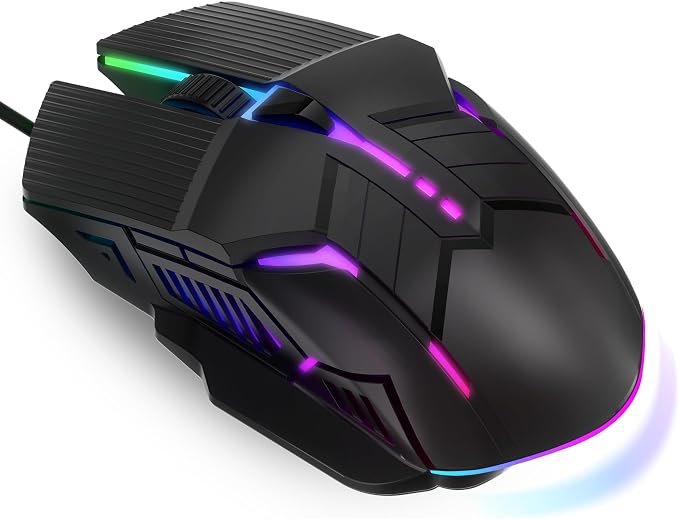
This is the one for anybody who wants RGB and a comfy shape without paying extra. Light ergonomic body, six buttons, seven-color RGB, four DPI levels running from 1200 to 3200, quiet clicks, and plug-and-play on PC and Mac.
Folks who bought it mostly for the looks keep saying the lighting holds up, and that the grip feels nicer than they figured it would at this price. It is not trying to be anything fancy. It’s a solid budget mouse, and that’s fine.
Pros
- Seven-color RGB looks good for the money
- Quiet clicks keep the noise down
- The grip stays comfortable during long sessions
- Six buttons and four DPI levels are plenty flexible
Cons
- The lowest DPI setting is 1200, which can feel twitchy for precise work
- Not for competitive esports
- Customization is basic

Seven programmable buttons, a high-precision sensor, RGB backlighting, adjustable DPI. It runs on Windows, Mac, Linux, and Chrome, and it’s aimed at both office work and gaming.
Seven buttons is a lot for this price, so we mapped shortcuts across a few different games and desktop tasks to see if the assignments would stick, and they did. Nothing dropped out along the way. People moving up from a basic two-button mouse keep saying the extra buttons changed how they play, especially in MOBAs and strategy games where quick commands pile up.
Pros
- Seven programmable buttons is generous at this price
- Runs on Windows, Mac, Linux, and Chrome
- RGB backlighting, ergonomic shape, and it’s equally happy at work or in a game
Cons
- You cannot customize it as deeply as a premium mouse
- Not built for competitive esports
- Seven buttons take a bit of getting used to

An optical USB mouse with DPI from 800 to 3200, RGB lighting, an ergonomic shape, and seven programmable buttons. The listing covers Windows 7, 8, 10, XP, and Vista, plus Linux and Chromebook.
Honestly, that compatibility list is why you would buy this. Got an old Windows box, or a mix of different machines? It will matter to you. Users with older laptops keep saying it just worked, no hunting for drivers. And while we are at it, any budget mouse gets grimy eventually, so here’s how to clean a gaming mouse if this one ever feels sticky.
Pros
- Works with a wide range of systems, XP and Vista included
- Seven programmable buttons
- The 800–3200 DPI range handles both slow precise work and fast movement
- RGB and an ergonomic shape
Cons
- Not built for competitive esports
- Customization is basic
- Build quality is about what you would expect for the price
Final Thoughts
A decent gaming mouse under $10 is not hard to find anymore. It would not be premium esports hardware, but it will be dependable for casual gaming, school, and everyday computer use.
SMAIGE is the best overall. REBOCOON wins if you want light and quiet. MELOGAGA gives you RGB and a comfortable grip for the money, ONIKUMA is the pick for programmable buttons, and Guiheng suits older systems. Prices down here jump around a lot, so check current listings before you buy.
Frequently Asked Questions (FAQs)
We cannot physically test every product in every roundup — with dozens of gaming mice covered across this site, that’s simply not realistic for our team. What we do instead is verify every listing against the manufacturer’s official specs, cross-check claims across multiple independent reviews and long-term user reports, and pull out patterns from real buyer experiences on platforms like Amazon. When we do get hands-on with a specific product, we will say so directly in that section.
Our recommendations reflect what verified users and independent testers consistently report — not just what a spec sheet promises. If something looks great on paper but users repeatedly flag an issue, we mention it. That’s the standard we hold every pick on this list to.
One Response