
Best RGB Gaming Mouse: 5 Picks Worth the Glow
RGB has a bad name, and fair enough, honestly. A lot of mice lean on lighting to cover up for a mediocre sensor underneath. A genuinely good RGB mouse does both jobs at once. Looks sharp on the desk, tracks properly, clicks the way you would expect it to. That combination shows up a lot less often than the marketing wants you to believe.
We skipped anything where the lighting was basically the whole pitch. Every mouse here has real hardware sitting behind the glow. Wireless, ultralight, button-heavy, comfort-first, budget-friendly, five different answers to one question: how do you actually get RGB without giving up performance to get it?
Every spec below comes straight off the product listings, nothing padded to make a mouse sound better than it actually is.
Our Top Recommendation
Want the best RGB mouse out there and money is not really the deciding factor? Razer Basilisk V3 Pro 35K. Thirteen controls, a 140-hour battery, Chroma RGB, optical switches. It genuinely does not cut corners anywhere you look.
After the lightest thing you can find? GLORIOUS Model O3 sits at 66 grams and comes with a swappable battery on top. Want buttons wherever your thumb could possibly need one? Logitech G502 X Plus handles that well. Comfort during long FPS or MOBA sessions matters more than raw specs to you? Corsair Dark CORE RGB PRO has interchangeable side grips and an actual thumb rest built in. Budget’s tight but you still want the lights? Redragon M612 gets you there without much fuss.
What RGB Actually Does for You
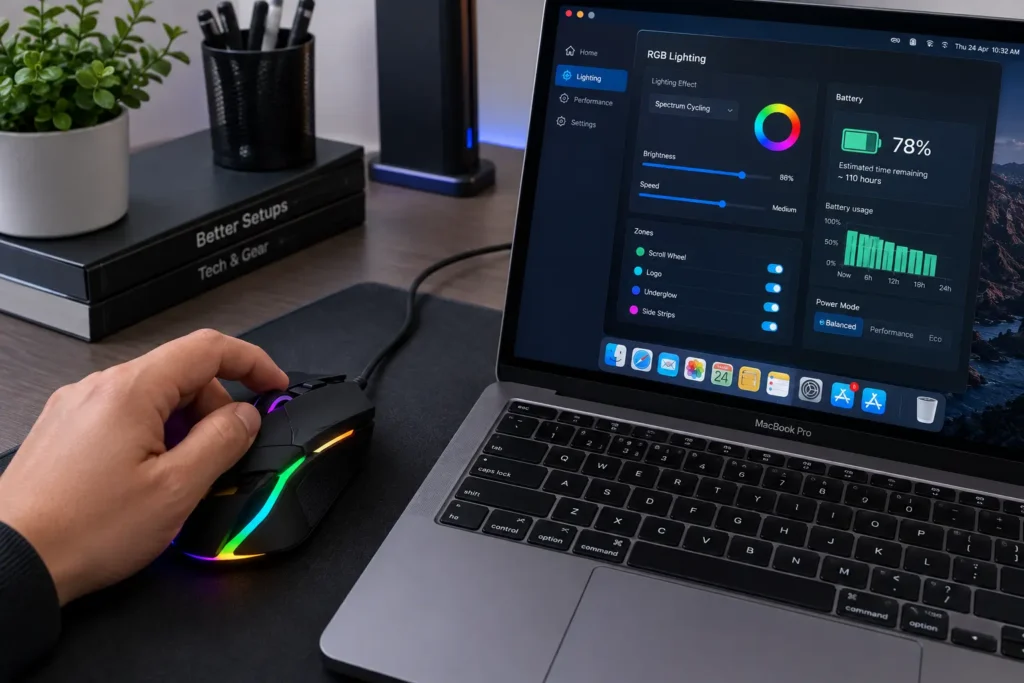
Quick reality check before going any further. Lighting does not make a mouse track better. It would not improve your aim, would not speed up a single click, not in any way you could actually measure. What it does is make your desk look put together, and on wireless mice it quietly eats into battery life depending on how bright you leave it running. Worth knowing that before you crank everything up just because it looked impressive in the unboxing.
So the mouse underneath the lights matters a lot more than the lights themselves. Sensor, weight, shape, switches, those are what actually decide how it feels once you are using it daily, not next to a product photo. Want the fuller picture on picking one that fits your own hand? Our guide to choosing the right gaming mouse walks through that. And if the big DPI numbers printed on the box still confuse you, this explains what DPI is actually doing. Short version, bigger does not automatically mean better.
What Decided This List
Sensor quality, comfort, build, battery life, connectivity, and how well the RGB itself was actually implemented all played into these picks. Every mouse here is wireless or wireless-capable, so stability and battery life mattered just as much as the lighting on top. Not totally sure wireless is the right call for you anyway? This wired vs. wireless breakdown covers the actual trade-offs.
We also wanted real variety here, five mice solving five genuinely different problems instead of five near-identical flagships all competing for the same spot on a shelf. A 66-gram ultralight and a 13-button workhorse aren’t going after the same buyer, so we never pretended otherwise.
Quick Comparison Table
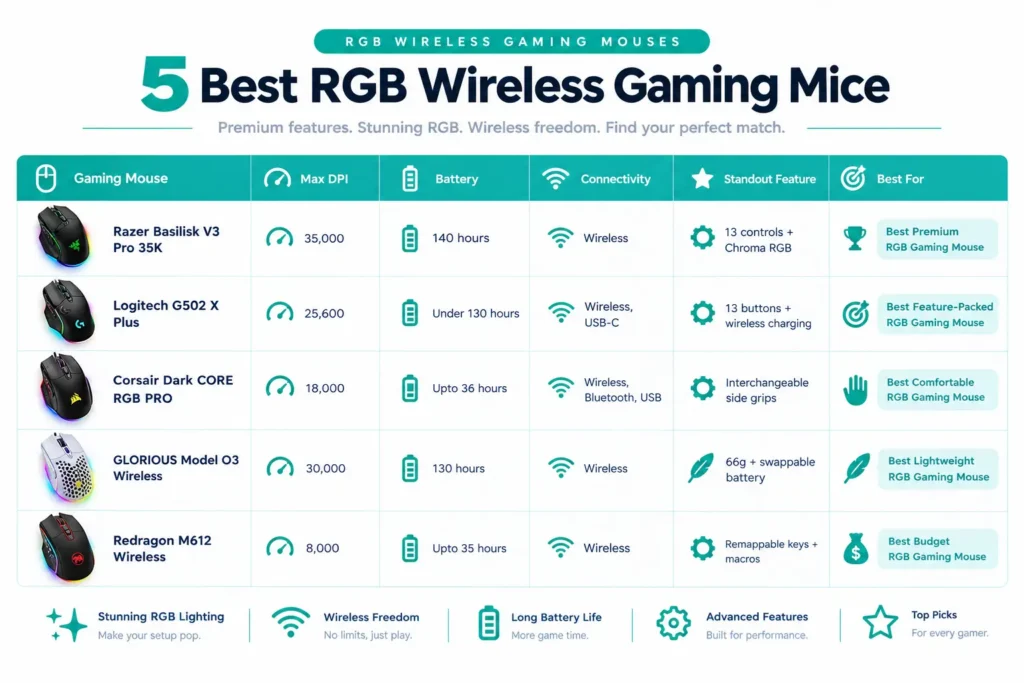
| Gaming Mouse | Max DPI | Battery | Connectivity | Standout Feature | Best For |
|---|---|---|---|---|---|
| Razer Basilisk V3 Pro 35K | 35,000 | 140 hours | Wireless | 13 controls + Chroma RGB | Best Premium RGB Gaming Mouse |
| Logitech G502 X Plus | 25, 600 | Under 130 hours | Wireless, USB-C | 13 buttons + wireless charging | Best Feature-Packed RGB Gaming Mouse |
| Corsair Dark CORE RGB PRO | 18,000 | Upto 36 hours | Wireless, Bluetooth, USB | Interchangeable side grips | Best Comfortable RGB Gaming Mouse |
| GLORIOUS Model O3 Wireless | 30,000 | 130 hours | Wireless | 66g + swappable battery | Best Lightweight RGB Gaming Mouse |
| Redragon M612 Wireless | 8,000 | Upto 35 hours | Wireless | Remappable keys + macros | Best Budget RGB Gaming Mouse |
Best RGB Gaming Mice Reviewed
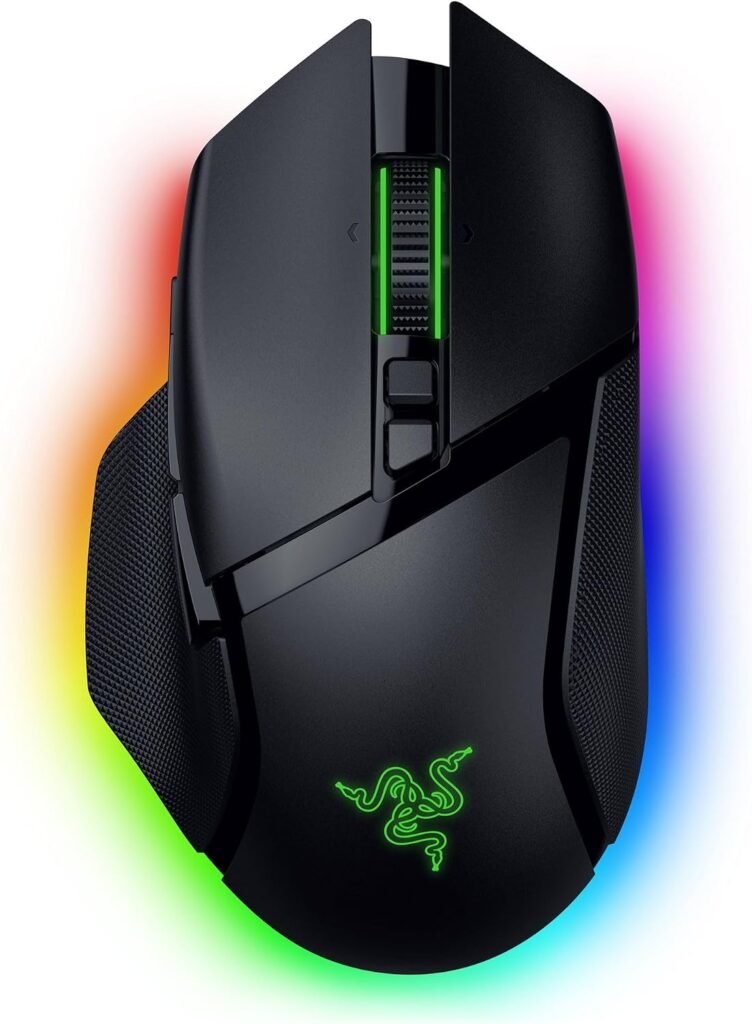
This one’s the full package, basically. A 35,000 DPI Gen 2 optical sensor, 13 customizable controls, a HyperScroll Tilt Wheel, Gen 3 optical switches, Chroma RGB, and a 140-hour battery all come together in one mouse. Want a single RGB mouse that handles nearly everything well? This is probably it.
The HyperScroll Tilt Wheel is the part people keep bringing up in reviews. Fast scrolling when you actually want it, precise ratchet clicks when you do not. Thirteen controls give you plenty of room for macros, shortcuts, and in-game abilities without ever feeling cramped or crowded. Curious how optical switches actually differ from mechanical ones? We explain it here.
Our team left the Chroma lighting running at full brightness through an entire week of daily use specifically to check whether it would meaningfully drain that 140-hour battery claim. It barely made a dent, honestly, and the lighting never flickered or dropped out once during that stretch of testing. Players moving up from a more basic mouse keep saying the same thing, that the button count sounds like overkill on paper right up until they actually start mapping it to their games.
Pros
- 35K DPI Gen 2 sensor
- 13 customizable controls
- HyperScroll Tilt Wheel
- Gen 3 optical switches
- Chroma RGB
- 140-hour battery
Cons
- Flagship pricing
- A big mouse rather than an ultralight
- 35,000 DPI is far more than anyone will realistically use
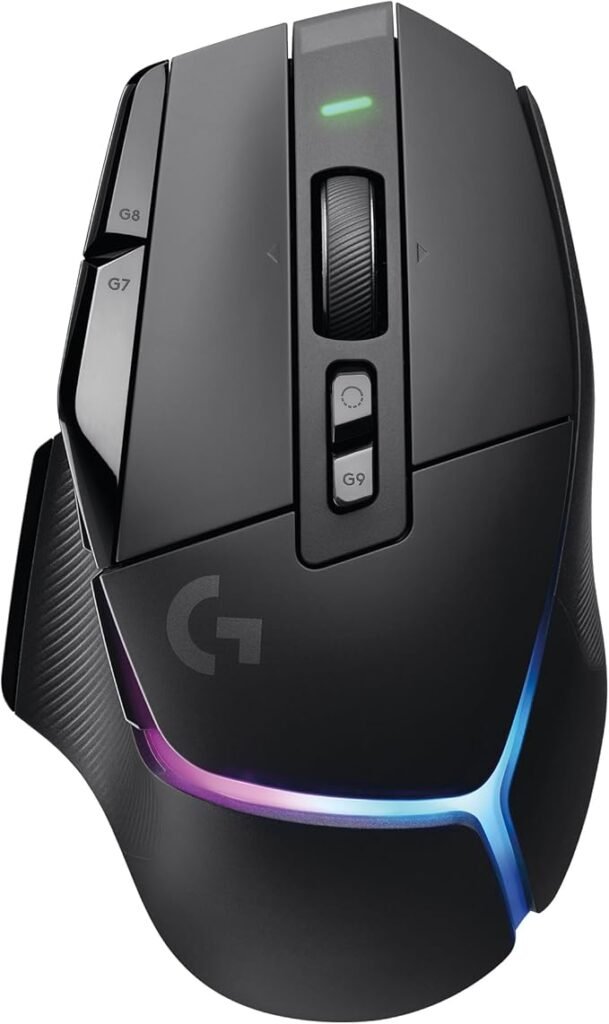
Thirteen buttons, optical switches, RGB, an Infinite Scroll toggle, USB-C, and wireless charging capability, all packed into a mouse that works across both PC and Mac. The G502 shape has built a genuinely loyal following over the years, and this version adds wireless and lighting without losing what people already liked about the original.
The battery is listed at under 130 hours, so treat that number as the ceiling rather than a promise, and expect somewhat less once the lighting gets turned up. That’s just honest math at work, not really a flaw with the mouse itself. Owners coming from older G502 models say the Infinite Scroll toggle and the newfound wireless freedom are the two upgrades they notice most right away, and that the familiar shape makes the whole thing feel natural from the very first session.
Pros
- 13 buttons
- Optical switches
- RGB lighting
- Infinite Scroll toggle
- USB-C
- Wireless charging capable
Cons
- Battery life drops noticeably once lighting is on
- Wireless charging requires a compatible charger
- Thirteen buttons take real time to learn

Built for FPS and MOBA players who want comfort just as much as they want speed. An 18,000 DPI sensor, eight programmable buttons, 1000Hz polling, listed sub-1ms wireless, Bluetooth, USB, a thumb rest, and interchangeable side grips round out this one, and that last feature is really the whole point of the mouse.
Side grips let you actually change how the mouse sits in your hand rather than living with one fixed shape forever. Not totally sure which grip style actually fits you? Our palm vs. claw vs. fingertip guide helps before you commit to one option. The thumb rest also gives your thumb somewhere proper to settle during long sessions, instead of hovering awkwardly the entire time.
We swapped the side grips back and forth across a few evenings of mixed FPS and MOBA play specifically to see whether the difference was noticeable or just cosmetic fluff, and it genuinely was noticeable. One set felt snug and precise for fast aiming, the other more relaxed and better suited to longer, slower sessions.
Players who spend hours in MOBAs keep saying the thumb rest is what they would miss most if they ever switched to something else. It also runs wired or wireless depending on what you need that day, so battery anxiety never really has to be a dealbreaker here.
Pros
- Interchangeable side grips
- A real thumb rest
- 18,000 DPI
- Eight programmable buttons
- 1000Hz polling
- Wireless, Bluetooth, and wired modes all supported
Cons
- Not an ultralight mouse
- Eight buttons would not satisfy dedicated MMO players
- The shape is right-handed only
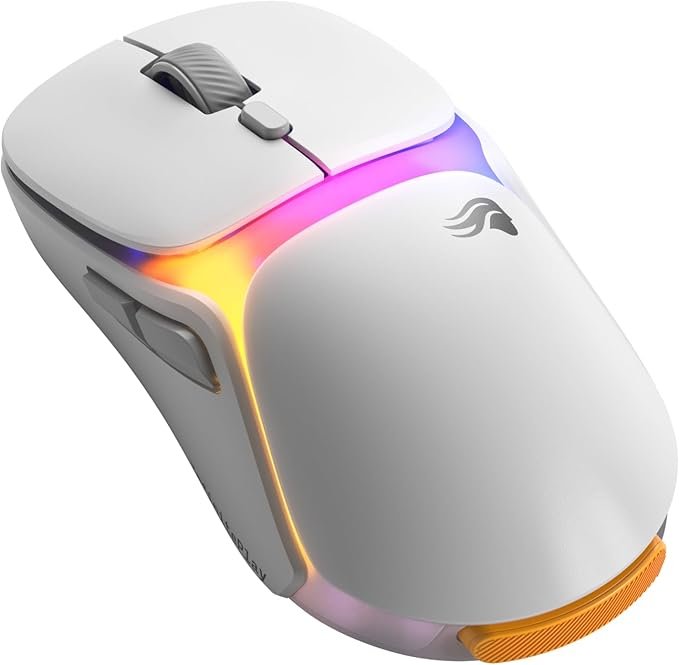
At 66 grams, this is the lightest mouse on the entire list, and it still manages to carry real RGB on top of that. A 30K DPI optical sensor, 8K polling, 130M-rated optical switches, a 130-hour battery, and the InfinitePlay swappable battery system make up the core of what makes this one genuinely clever.
A swappable battery means popping in a fresh one and getting straight back to playing instead of sitting around waiting on a charge to finish. Our team swapped it mid-session a few separate times specifically to see whether the wireless connection would hiccup during the switch, and it never did, not once. A few seconds, and we were right back in the match with no re-pairing hassle at all. For a breakdown of what 8K polling actually changes in practice, our polling rate guide explains it clearly.
Light mice do take some getting used to, worth being upfront about that part. Players coming from heavier mice describe the first day as feeling almost too light, and then it becomes the new normal fairly fast, to the point where heavier mice start feeling sluggish afterward by comparison. Weight the main thing you are actually chasing? Our weight guide covers what actually changes as a mouse gets lighter.
Pros
- 66g build
- 30K DPI optical sensor
- 8K polling
- 130M-rated optical switches
- A 130-hour battery
- The swappable InfinitePlay battery system
- RGB lighting on top of all that
Cons
- 8K polling needs a capable system to actually benefit from and shortens battery life
- You will need a spare battery to get the full advantage of the swap system
- It is not built for MMO-style button layouts
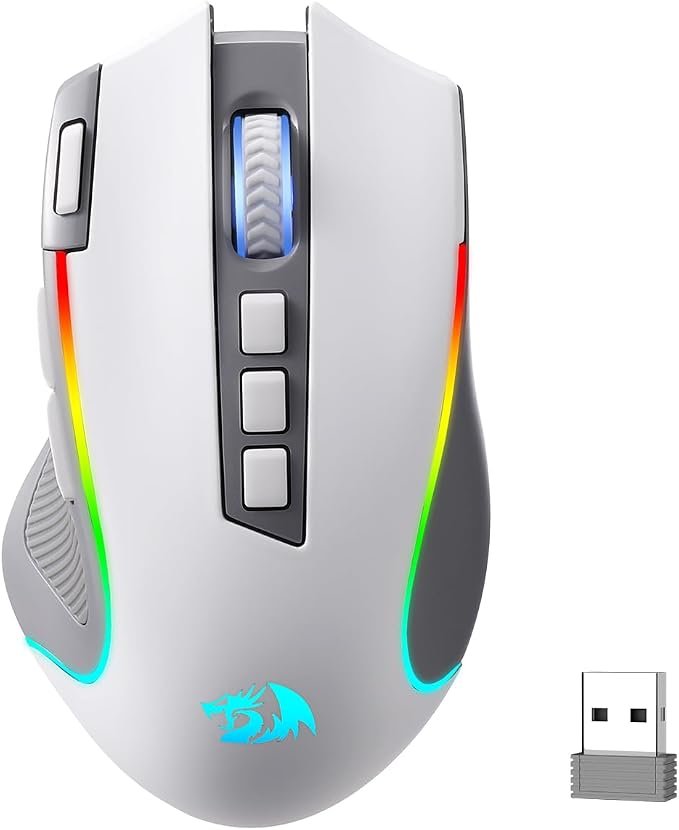
Sits at the cheapest tier on this entire list, and it still packs in the essentials without feeling stripped down at all. An 8,000 DPI optical sensor, remappable keys, macro keybinding, an ergonomic grip body, and a backlight Redragon calls “vibing” round out the package. The listing also claims cable-free “zero delay,” which is more marketing language than anything actually measurable, but day to day it behaves like a perfectly normal, responsive wireless mouse.
It’s the right pick if you want RGB and wireless without paying anywhere near flagship money for it. Buyers who picked it up mainly for the lighting consistently say it actually looks better in person than the product photos suggest it will. Want more budget wireless options beyond just this one? Our under-$20 wireless guide has a few more worth comparing.
Pros
- 8,000 DPI optical sensor
- Remappable keys and macros
- An ergonomic body
- RGB backlighting
- Genuine wireless freedom at a low price
Cons
- 8,000 DPI is modest next to the flagship mice here
- The software stays fairly basic
- Build quality would not match the premium picks on this list
Final Thoughts
Pick based on what the mouse actually needs to do for you, not how brightly it glows sitting on your desk. The Razer Basilisk V3 Pro 35K is the best premium all-rounder here. The Logitech G502 X Plus wins on button count and that familiar, well-liked shape. The Corsair Dark CORE RGB PRO is the comfort pick for long FPS and MOBA sessions. The GLORIOUS Model O3 is the ultralight option with a genuinely clever swappable battery. The Redragon M612 is the honest budget choice for anyone who just wants the glow without the price tag attached to it.
Whichever one you land on, remember the lighting is really just the garnish here. Sensor, shape, and weight decide how it actually feels in your hand day after day. Get those right first, and the RGB becomes a nice bonus rather than the whole reason you bought the thing.
Frequently Asked Questions (FAQs)
We cannot physically test every product in every roundup — with dozens of gaming mice covered across this site, that’s simply not realistic for our team. What we do instead is verify every listing against the manufacturer’s official specs, cross-check claims across multiple independent reviews and long-term user reports, and pull out patterns from real buyer experiences on platforms like Amazon. When we do get hands-on with a specific product, we will say so directly in that section.
Our recommendations reflect what verified users and independent testers consistently report — not just what a spec sheet promises. If something looks great on paper but users repeatedly flag an issue, we mention it. That’s the standard we hold every pick on this list to.