
Best Heavyweight Gaming Mouse: 5 Feature-Rich Picks for Control
Not everyone wants a mouse that floats. Some players like a bit of heft in the hand, the kind that stays put in the middle of a fight and does not skate away while you are clicking fast.
Heavy is also where most feature-packed mice end up. More buttons, a thumb rest, a bigger battery, wireless hardware and weight systems all add grams, so a mouse with a lot going on usually lands on the heavier side. These five run from about 92 grams to 168, and “heavy” is relative anyway. Put any of them next to a 40-gram ultralight and they feel like a different tool altogether.
Every number below comes from the product listings or the makers’ own spec pages. Where a figure was not published, we say so.
Our Top Recommendation
If you want one answer, get the Razer Basilisk V4 Pro. It’s a heavy mouse that does pretty much everything, with 14 customizable controls, a 50K optical sensor, 8K polling and Gen-4 optical switches, and it’s lighter than the model it replaces.
From there, pick by situation. The ASUS ROG Spatha X is the one for the most planted feel, at 168 grams. The Corsair IRONCLAW Wireless SE is built for larger palm-grip hands. The last two let you tune the weight yourself, one wireless and one wired and cheap.
Why Some Players Want a Heavy Mouse
A heavier mouse takes more effort to get moving and more effort to stop. Some players love that, because slow, careful tracking feels steadier and the mouse does not drift when they click. It tends to suit palm grips, MMO and MOBA play, and anyone who finds ultralights twitchy.
The trade-off is your arm. Fast, repeated flicks wear you out on a heavy mouse, which is why shooter players often go the other way. Our weight guide covers where that line sits.
What We Counted as Heavy
There’s no official cutoff. Ultralights run under about 60 grams, so we treated roughly 90 grams and up as heavy, then sorted by weight, shape, controls, battery and sensor, in that order. DPI barely mattered, and our DPI guide explains why.
We also wanted some variety: a flagship, a very heavy shell, a large-hand pick, a weight-tuning pick and a cheap wired one.

Quick Comparison Table
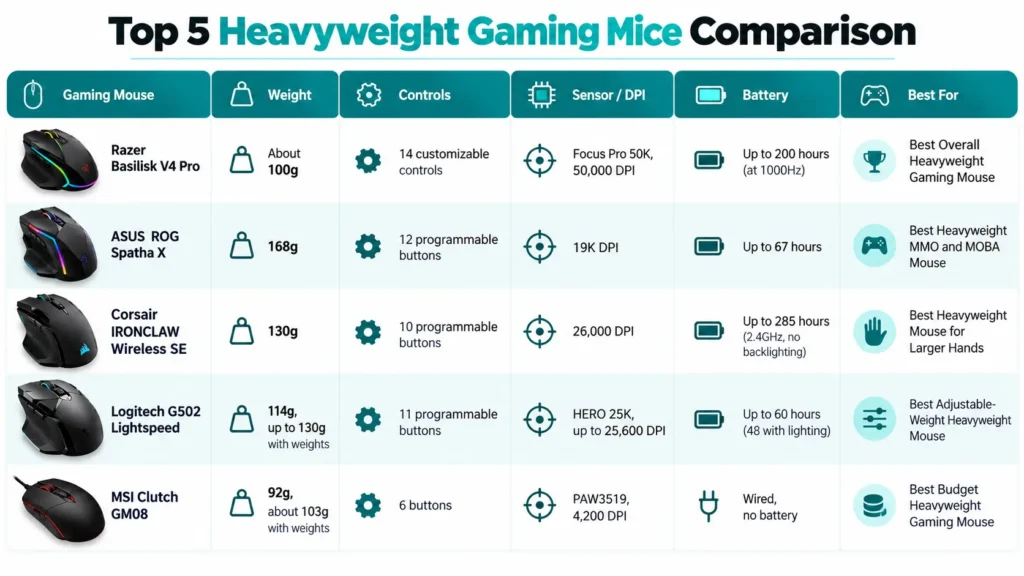
| Gaming Mouse | Weight | Controls | Sensor / DPI | Battery | Best For |
|---|---|---|---|---|---|
| Razer Basilisk V4 Pro | About 100g | 14 customizable controls | Focus Pro 50K, 50,000 DPI | Up to 200 hours (at 1000Hz) | Best Overall Heavyweight Gaming Mouse |
| ASUS ROG Spatha X | 168g | 12 programmable buttons | 19K DPI | Up to 67 hours | Best Heavyweight MMO and MOBA Mouse |
| Corsair IRONCLAW Wireless SE | 130g | 10 programmable buttons | 26,000 DPI | Up to 285 hours (2.4GHz, no backlighting) | Best Heavyweight Mouse for Larger Hands |
| Logitech G502 Lightspeed | 114g, up to 130g with weights | 11 programmable buttons | HERO 25K, up to 25,600 DPI | Up to 60 hours (48 with lighting) | Best Adjustable-Weight Heavyweight Mouse |
| MSI Clutch GM08 | 92g, about 103g with weights | 6 buttons | PAW3519, 4,200 DPI | Wired, no battery | Best Budget Heavyweight Gaming Mouse |
Best Heavyweight Gaming Mice, Reviewed

Verdict first: this is the one most people should buy. It comes with 14 customizable controls, a Focus Pro 50K sensor, 8000Hz wireless, a HyperScroll Tilt Wheel Gen-2 and Gen-4 optical switches, and Razer rates the battery at up to 200 hours. That’s a lot of mouse.
On weight, Razer’s launch details put it 12 grams under the Basilisk V3 Pro, which lands it at around 100 grams, so check Razer’s spec page for the exact figure. The 200-hour rating is at 1000Hz, too. One retailer lists up to 54 hours at 8000Hz, so it’s worth reading this polling rate explainer before you leave 8K switched on all the time.
We mapped its extra buttons across a few games over a week of evening sessions. It took a couple of sessions to learn where everything sat, but after that the layout stopped feeling busy. Owners of earlier Basilisks say the thumb rest and the added side button are what they notice first. Weighing up flagships more broadly? Our premium picks are a good next stop.
Where it shines
- Around 100g with a full thumb rest
- 14 customizable controls
- Focus Pro 50K sensor
- 8000Hz wireless
- Gen-4 optical switches
- Up to 200 hours of battery at 1000Hz
Where it lags
- Battery drops sharply at 8000Hz
- Flagship pricing
- 14 controls take a few sessions to learn
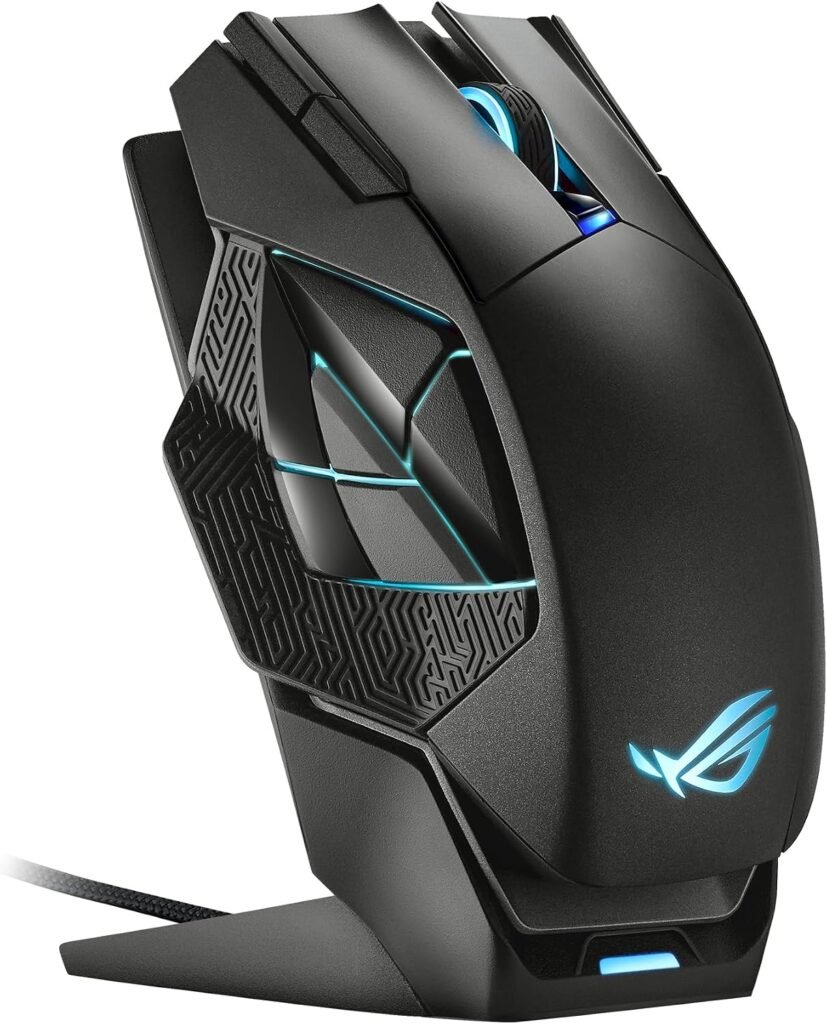
This is the heavy one. It weighs 168 grams, it’s right-handed, and it brings 12 programmable buttons, 19K DPI, dual-mode wired or 2.4GHz connectivity, up to 67 hours of battery and a magnetic charging dock. It works with PC and Mac.
It’s built for MMO and MOBA play, and the weight is deliberate. The mouse stays planted while you click your way through a raid, and you just set it on the dock instead of plugging in a cable. Players who like a heavy mouse say it feels stable, while players who like to flick say it wears them out. Our MMO roundup shows how it stacks up against other button-heavy picks.
Where it shines
- 168g planted body
- 12 programmable buttons
- Magnetic charging dock
- Dual-mode wired or 2.4GHz
- PC and Mac support
Where it lags
- 168g is a lot for fast flicks
- Right-handed only
- The battery is modest next to the Basilisk and the IRONCLAW
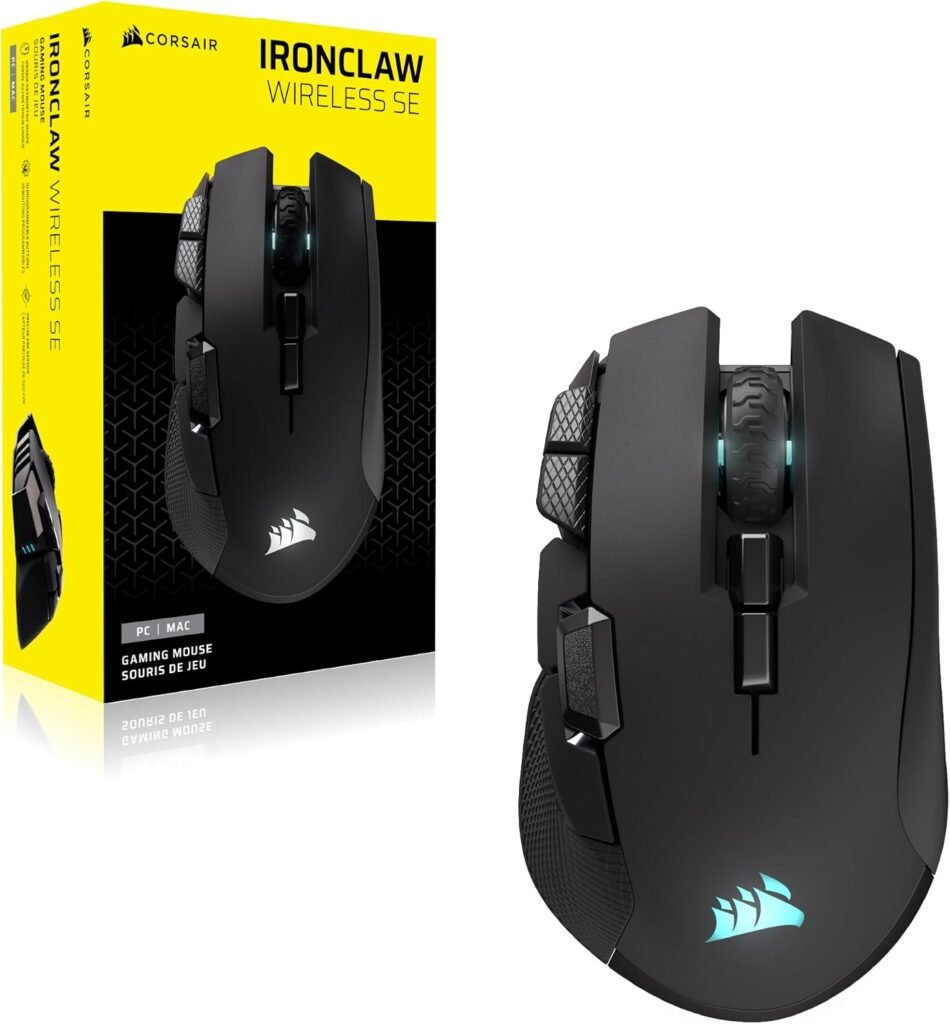
Got larger hands and a palm grip? Start here. The IRONCLAW weighs 130 grams and has an ergonomic asymmetric shape, a 26,000 DPI sensor, 10 programmable buttons and tri-mode connectivity (2.4GHz, Bluetooth and USB-C wired). Corsair pitches it for MOBA, FPS and MMO play. The battery is rated at up to 285 hours on 2.4GHz without backlighting, and noticeably less with the lighting on.
The weight comes with a big body, and that’s the whole appeal. Buyers with larger hands say their fingers finally stop hanging off the edge and the palm has somewhere to sit. Our large hands roundup shows how to measure your hand, and our grip guide explains why palm grips suit shapes like this.
Where it shines
- 130g body
- Shape built for larger hands
- 26,000 DPI sensor
- 10 programmable buttons
- Tri-mode connectivity
- Long battery life on 2.4GHz without lighting
Where it lags
- Too big for small hands
- Battery drops sharply with lighting on
- Right-handed only
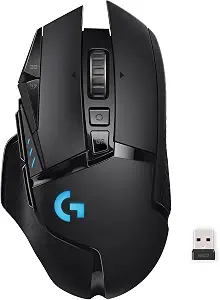
With this one, you decide how heavy it is. The mouse alone weighs 114 grams, and the six included weights (four at 2g, two at 4g) can add up to 16 grams, taking it to about 130. You also get 11 programmable buttons, RGB, on-board memory, the HERO 25K sensor with up to 25,600 DPI, and POWERPLAY compatibility, for PC and Mac.
We played with the weights in and out across a few evenings of mixed play. With everything in, the mouse felt planted and slow tracking was steadier. With none, it was easier to throw around. Neither setting was wrong, and that’s the point of having the choice. One catch: PowerPlay charging takes up the same space as the weights, so you cannot use both.
Longtime G502 owners say the shape feels familiar from the very first session, and that losing the cable is the change they notice most.
Where it shines
- 114g base with up to 16g of optional weights
- 11 programmable buttons
- HERO 25K sensor
- On-board memory
- POWERPLAY compatible
- RGB lighting
Where it lags
- PowerPlay and the weights compete for the same space
- The battery is rated at only about 60 hours
- The shape takes some getting used to
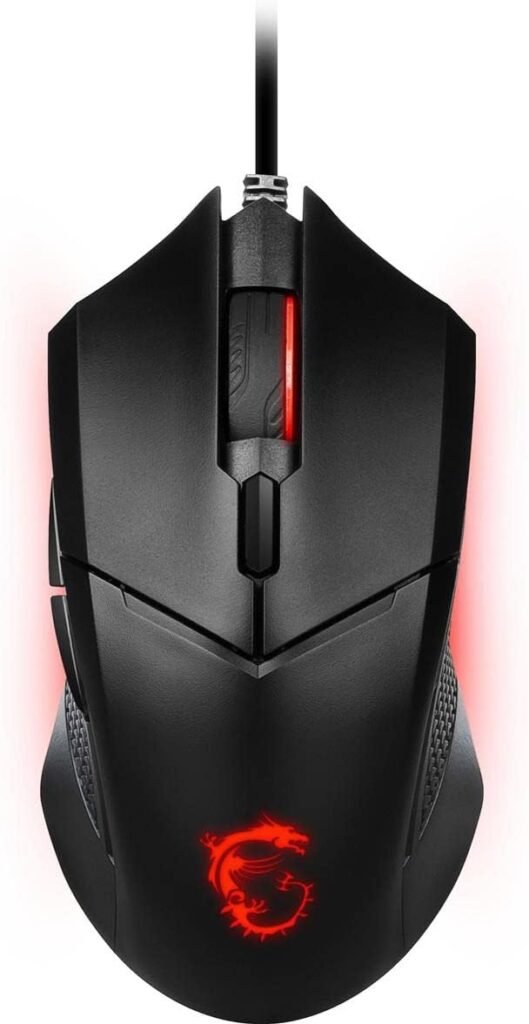
This is the cheap way to try a heavier mouse. It’s wired and symmetrical, with six buttons, a PixArt PAW3519 optical sensor at up to 4,200 DPI, five DPI presets, switches rated for over 10 million clicks, red LED lighting and three adjustable weights. The base weight is about 92 grams, and the included weights (two at 3g and one at 5g) take it to roughly 103.
Let’s be clear about what it is: the lightest “heavy” mouse here, and a budget one. The sensor is modest and there’s no wireless. We used it for a few days of casual play and it felt steady with the weights in, and having a say in how it feels at this price is a good deal. Check current pricing. For other cheap wired options, our wired picks under $25 are worth a look.
Buyers say the adjustable weights are why they picked it over other mice at a similar price.
Where it shines
- Adjustable weight system
- Symmetrical shape
- Switches rated for 10M+ clicks
- Five DPI presets
- Wired so there’s no battery to charge
Where it lags
- The 92g base is the lightest here
- The 4,200 DPI sensor is modest
- It’s wired only with just six buttons
Final Thoughts
The Razer Basilisk V4 Pro is the one we would keep: loaded with features, and a lot lighter than heavy mice used to be. The ASUS ROG Spatha X is for anyone who wants the most planted feel, and the Corsair IRONCLAW Wireless SE is the pick for larger palm-grip hands.
The Logitech G502 Lightspeed and the MSI Clutch GM08 both let you tune the weight, one wireless and one cheap. Whichever you choose, give a heavy mouse a few sessions before you decide, because the first day tells you a lot less than the third.
Frequently Asked Questions (FAQs)
We cannot physically test every product in every roundup — with dozens of gaming mice covered across this site, that’s simply not realistic for our team. What we do instead is verify every listing against the manufacturer’s official specs, cross-check claims across multiple independent reviews and long-term user reports, and pull out patterns from real buyer experiences on platforms like Amazon. When we do get hands-on with a specific product, we will say so directly in that section.
Our recommendations reflect what verified users and independent testers consistently report — not just what a spec sheet promises. If something looks great on paper but users repeatedly flag an issue, we mention it. That’s the standard we hold every pick on this list to.