
Best Wireless Gaming Mouse Under $200
$200 gets you into genuinely interesting territory. This is not just lighter version of a cheaper mouse money anymore; you are looking at magnetic analog switches, magnesium-alloy frames, hot-swappable batteries, 23-button MMO layouts, the whole spread. Manufacturers are competing on a lot more than sensor specs at this level, which is nice, but it also makes picking the right one genuinely harder, not easier.
That’s really the core problem with this price bracket. An FPS player wants fast, consistent clicks and does not care about anything else. An MMO player wants forty buttons within thumb reach and does not care about grams. Shape, grip, and wireless setup matter here just as much as whatever number is printed on the box, and honestly probably more.
We picked five and gave each one its own category, because ranking them against each other would mean pretending a competitive FPS mouse and a command-heavy MMO mouse are trying to do the same job. They are not, not even close.
Our Top Recommendation
For most competitive players, the Logitech G PRO X2 SUPERSTRIKE is the one to get. Magnetic analog switches with adjustable click haptics is genuinely new territory, not just a lighter shell with a marketing sticker.
If pure weight is what you are chasing, the Angry Miao AM Infinity is the sharper pick; 49 grams with real enthusiast hardware behind it, not just an empty shell. The GravaStar Mercury X Pro sits right alongside it, same weight class, arguably the better sensor. MMO players do not need to think twice: it’s the Razer Naga V3 Pro, 23 buttons and swappable side plates, nothing else here comes close. And if you want a big, heavy, feature-loaded mouse with a proper charging dock, the ASUS ROG Spatha X is built exactly for you.
The Real Differences Between These Five
Picking the right wireless mouse at this price is not really about specs, it’s about admitting what kind of player you actually are. That sounds obvious but people get it wrong constantly, buying the mouse with the biggest numbers instead of the one that fits how they play. If you want the deeper case for why fit beats specs, what makes a good gaming mouse makes that argument properly.
A competitive FPS player gets a lot more out of the 61g SUPERSTRIKE than they would out of a 168g MMO mouse loaded with buttons they will never touch. Meanwhile someone running forty keybinds in an MMO gets genuinely more value from the Naga’s button count than from shaving 100 grams off their mouse.
Battery strategy is also worth a second look here, because these five all take a different approach. The Angry Miao goes hot-swappable, the Naga leans on sheer claimed runtime, and the Spatha X uses a magnetic dock instead of either. None of these is the right way; it’s genuinely just a different tradeoff each time, and worth thinking about alongside how long you expect to actually keep the mouse, which our guide on how long a gaming mouse lasts gets into.
How We Actually Narrowed These Down
We focused on what changes real gaming performance: sensor quality, weight, click tech, wireless stability, polling rate, battery design, programmable controls, ergonomics, and overall flexibility. If you want the wider picture of wireless mice at different price points, our best wireless gaming mouse guide is worth a look, and how to choose the right gaming mouse covers the practical buying logic behind all of it.
We also split these by buyer intent rather than pretending an esports mouse should be judged by the same standard as an MMO mouse with swappable side panels; that’s just not a fair comparison and it does not help anyone actually decide. If you are newer to this and want the simpler version of all this terminology, our buying guide for beginners is a better place to start than this list.
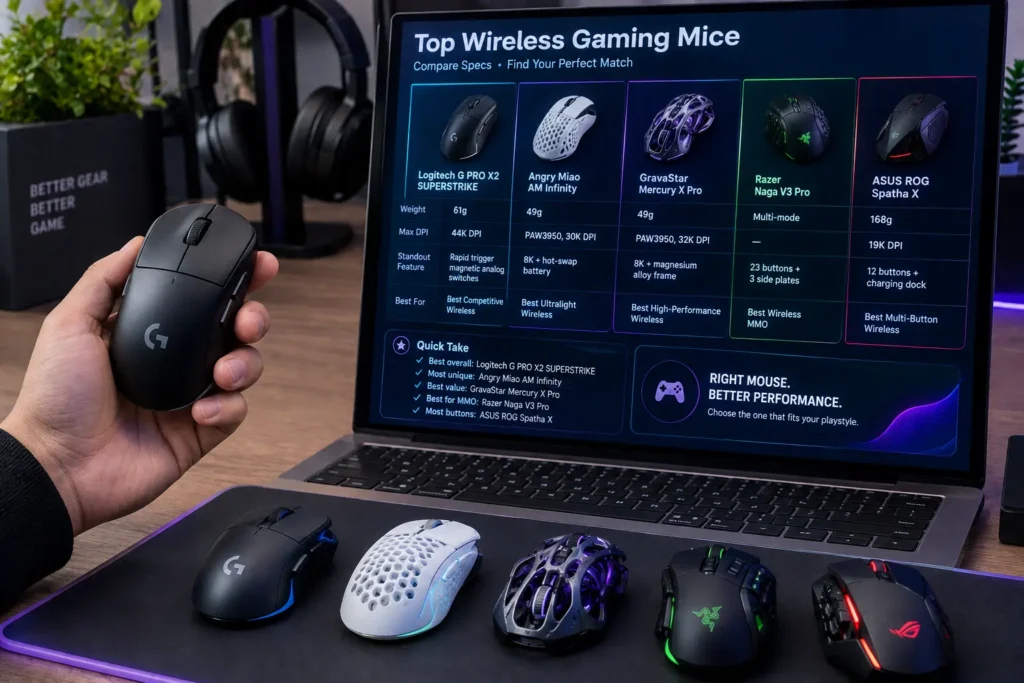
Quick Comparison Table
| Gaming Mouse | Key Specification | Standout Feature | Best For |
|---|---|---|---|
| Logitech G PRO X2 SUPERSTRIKE | 61g, 44K DPI | Rapid trigger magnetic analog switches | Best Competitive Wireless |
| Angry Miao AM Infinity | 49g, PAW3950, 30K DPI | 8K + hot-swap battery | Best Ultralight Wireless |
| GravaStar Mercury X Pro | 49g, PAW3950, 32K DPI | 8K + magnesium alloy frame | Best High-Performance Wireless |
| Razer Naga V3 Pro | Multi-mode | 23 buttons + 3 side plates | Best Wireless MMO |
| ASUS ROG Spatha X | 19K DPI, 168g | 12 buttons + charging dock | Best Multi-Button Wireless |
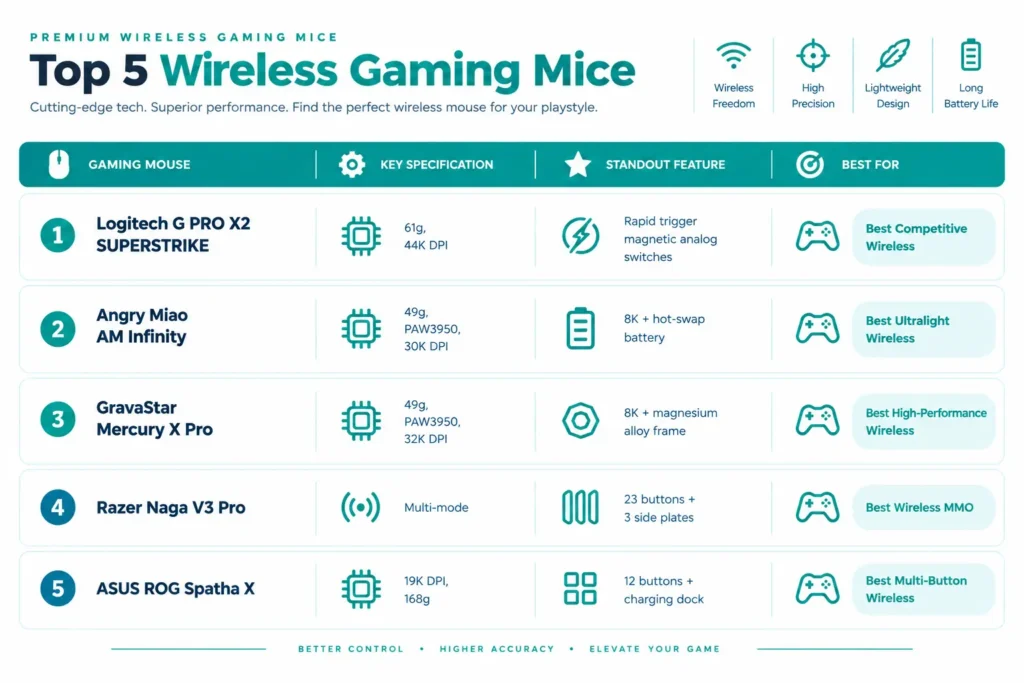
Best Wireless Gaming Mice Under $200 Reviews

The whole identity of this mouse comes down to how it handles clicks. At about 61 grams, it uses customizable rapid-trigger magnetic analog switches, which is a genuinely different approach from a standard gaming mouse click; worth reading what mouse switches are and how they work if you want the full picture of why that matters.
The adjustable click haptics take it further. Instead of a single fixed click feel, you can actually tune how the primary buttons respond, which sounds like a small thing until you are the kind of player who’s genuinely sensitive to actuation timing. That’s a real feature, not a gimmick; competitive players who care about click response will notice the difference immediately, and our guide to click latency explains exactly why it matters at this level.
There’s a USB-C wired mode available too, which is a nice fallback, though most people buying this will run it wireless. The whole package is narrow and focused rather than trying to do everything.
Where It Shines
- 61g is genuinely light
- The magnetic analog switches are a real, meaningful upgrade over standard clicks, not marketing fluff
- Adjustable haptics actually work and actually matter for competitive players
- USB-C wired fallback is a smart inclusion
Where It Lags
- The advanced switch tech is genuinely wasted on casual players who would not notice or care
- It’s not built for button-heavy games at all; do not buy this for MMO
- 61g, while light, is heavier than the true ultralight options here
- And tuning the click haptics properly takes real time most people would not bother with
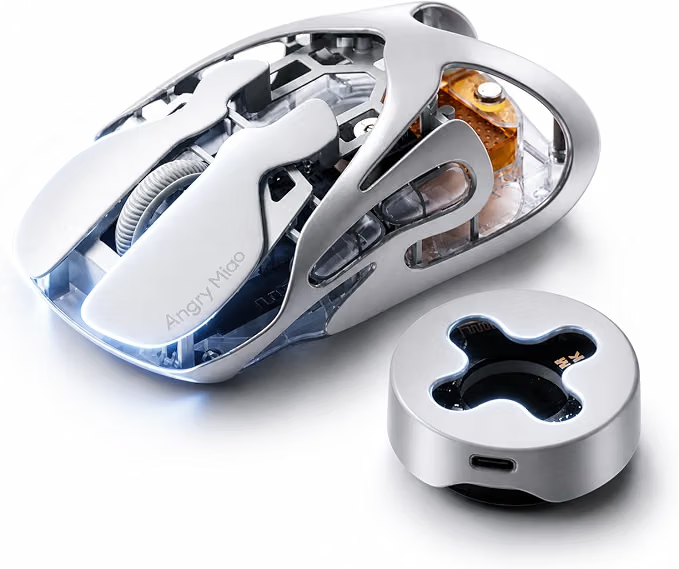
49 grams of magnesium-aluminum, and it does not feel like a compromise to get there. The PAW3950 sensor, 30,000 DPI, and 8K polling are genuinely current-generation hardware, not corners cut to hit a weight target. Our gaming mouse weight guide covers why that distinction actually matters; plenty of ultralight mice get there by gutting the feature set, and this one didn’t.
The hot-swappable battery is the standout here, and it’s a genuinely different approach to wireless battery anxiety than what most brands do. Instead of waiting out a recharge, you swap and keep playing. Paired with anti-double-click optical-micro switches, the practical benefit is real; our debounce time guide explains how that switch tech actually prevents the false clicks that plague cheaper mice over time.
Where It Shines
- The hot-swap battery genuinely solves wireless charging anxiety better than any recharge-only design can
- 49g with real enthusiast-grade hardware behind it, not a stripped-down shell
- Anti-double-click switches are a legitimate long-term reliability advantage
- 8K polling and the PAW3950 sensor are both genuinely current-tier
Where It Lags
- 30,000 DPI is a number nobody needs and exists purely for the spec sheet
- The hot-swap system adds real complexity; you need spare batteries on hand for it to actually pay off
- It can feel almost too twitchy at 49g if you are used to anything heavier
- And tri-mode connectivity, while flexible, means more setup than a simpler mouse
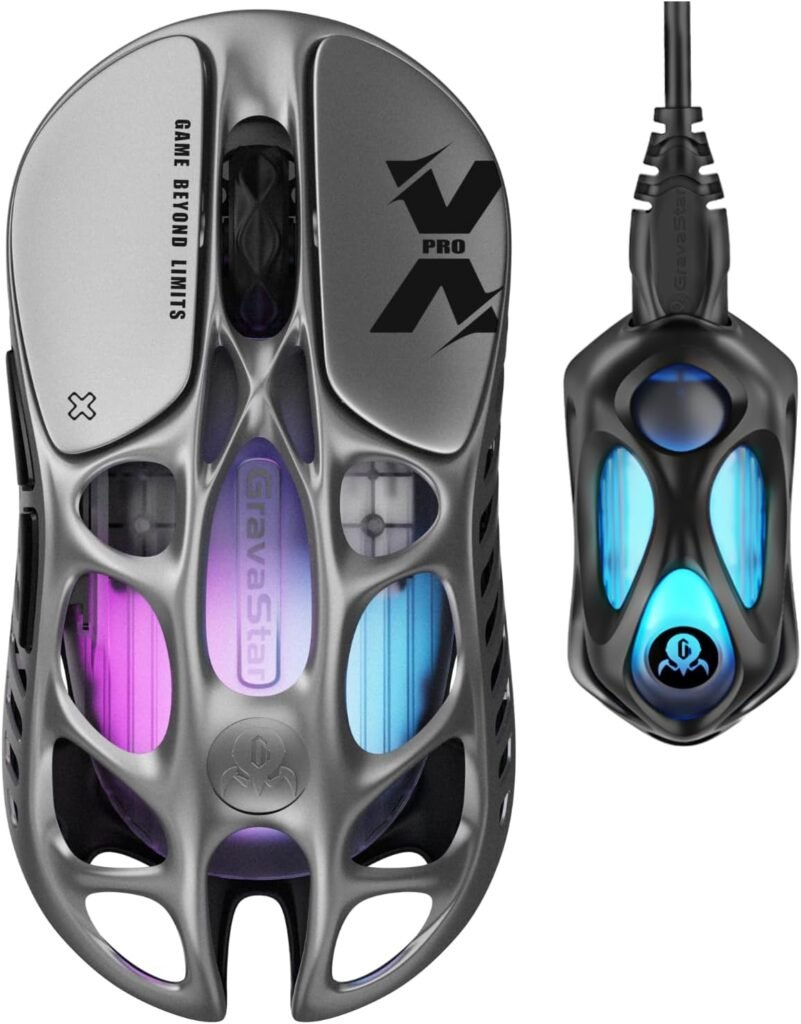
This one’s about as close as you will get to a design statement in a gaming mouse. The hollow magnesium-alloy frame is a genuinely unusual construction choice at 49 grams, and it looks nothing like the standard plastic gaming mouse shell everyone else is selling.
Underneath the design flex is real hardware: a PAW3950 sensor up to 32,000 DPI, and an included 8K dongle that actually hits 8,000Hz polling rather than advertising a number it cannot sustain. Five programmable buttons keeps things focused instead of overloaded, which suits players who want performance without a big control cluster to manage. Our polling rate guide explains what that 8K number is actually doing for your inputs if you are not already familiar.
Where It Shines
- The magnesium hollow-frame construction is genuinely distinctive and not just a marketing gimmick; it feels different in the hand
- PAW3950 sensor and real 8K polling are legitimately top-tier
- Five buttons keeps the layout clean without feeling stripped down
- Strong overall build quality for the weight class
Where It Lags
- Five buttons is genuinely limiting if you want any real customization beyond the basics
- 8K polling is largely wasted unless your monitor and system can actually keep up
- The extreme DPI ceiling is pure spec-sheet padding
- And the unconventional hollow shell would not appeal to everyone; some people just want a normal-feeling mouse
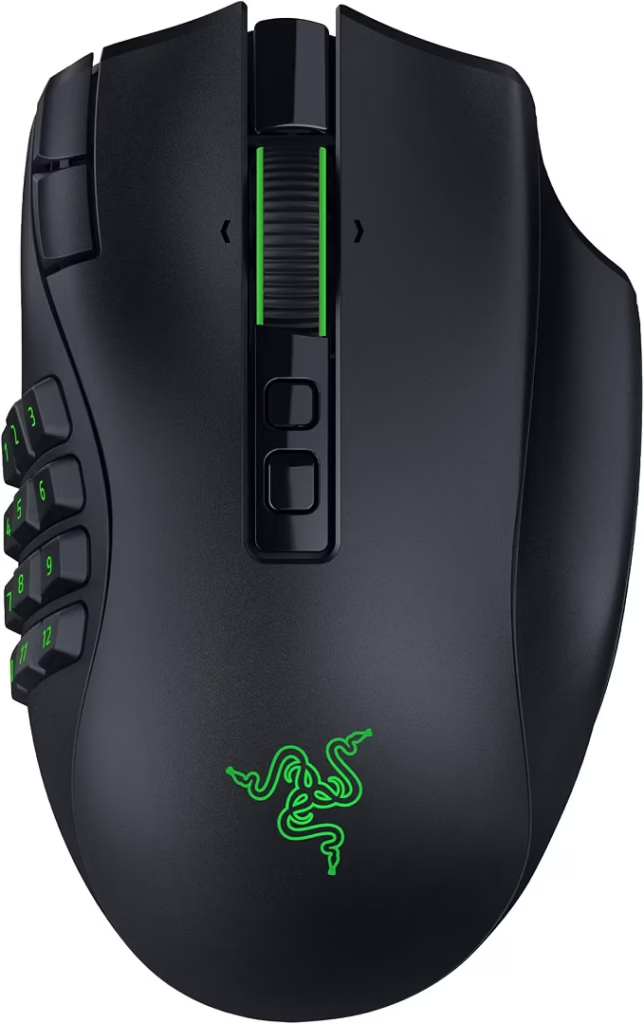
This is the clear specialist of the group, and it does not pretend otherwise. 23 programmable buttons across three swappable side plates means you are not locked into one fixed layout, you can genuinely reconfigure the mouse’s entire command structure depending on what you are playing.
That modularity is the real differentiator. Most MMO mice give you a fixed button grid and that’s it; the Naga actually lets you change the physical layout itself, which our guide to choosing the right gaming mouse touches on when it comes to matching controls to your actual playstyle rather than a generic one.
The HyperScroll Tilt Wheel adds genuine extra input options beyond the button count, useful for both gaming and regular desktop use. And the claimed 280-hour battery life is the highest in this whole roundup by a wide margin, a real advantage if you hate charging mice constantly.
Where It Shines
- 23 buttons and three swappable plates is genuinely unmatched here; nothing else on this list comes close
- The HyperScroll wheel adds real functionality beyond the buttons
- 280-hour claimed battery life is legitimately excellent, not inflated marketing
- Multi-mode wireless gives real flexibility
Where It Lags
- It’s a big, heavy mouse and there’s no getting around that
- Total overkill if you play FPS; you would be carrying buttons you will literally never press
- The learning curve for the full layout is real and takes actual time, not just an afternoon
- And if low weight matters to you at all, skip this entirely
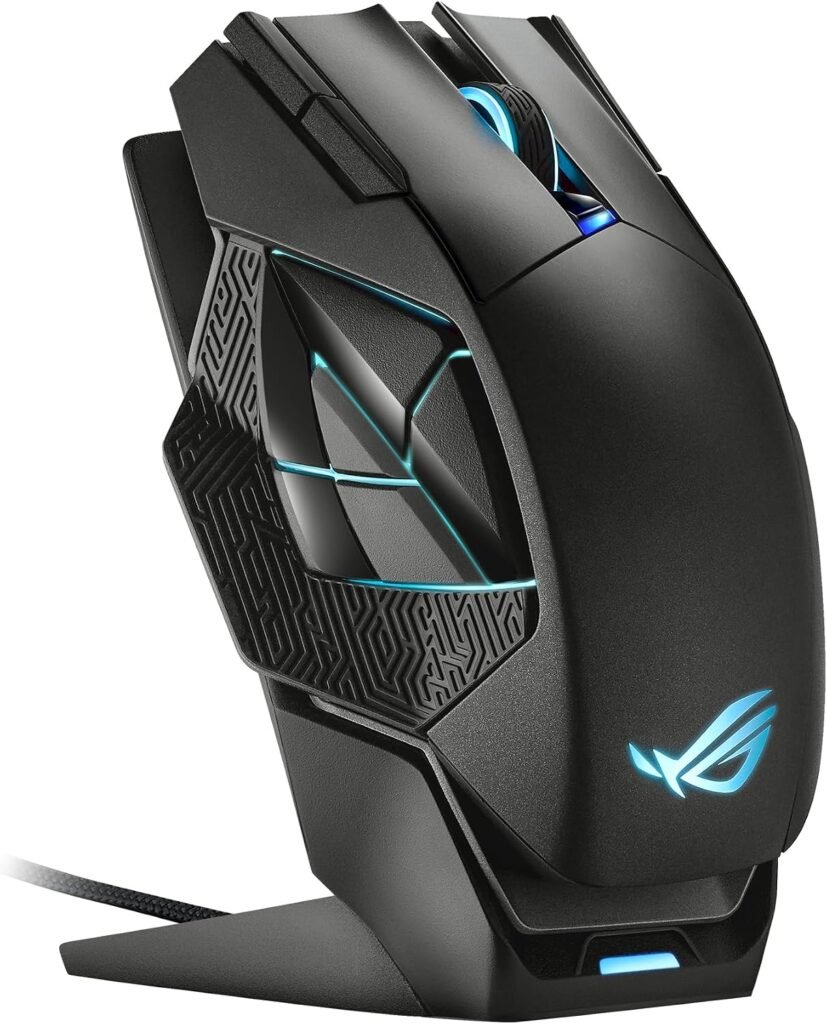
At 168 grams, this is a completely different animal from the 49g mice earlier on this list, this is the mouse for people who actively want something substantial in their hand, not a compromise for people who could not find anything lighter.
Dual-mode wired and 2.4GHz wireless gives you real flexibility depending on the situation, and the magnetic charging dock is a genuinely nice touch for a mouse this size, no fumbling with a cable every night. Up to 19,000 DPI rounds out the spec sheet, though it’s the least interesting number here by far.
Where It Shines
- The magnetic charging dock is genuinely convenient and a step up from a plain USB cable
- 12 buttons cover real MMO/MOBA needs without going as extreme as the Naga
- Dual-mode wired/wireless gives you a real fallback
- Solid, substantial build that plenty of players genuinely prefer
Where It Lags
- 168 grams is genuinely heavy, full stop, and it’s simply the wrong mouse if you play anything requiring fast movement
- Right-handed only, so lefties are out
- It’s a lot of mouse for players who do not actually need 12 buttons
- And the charging dock, while nice, is one more thing taking up desk space
Final Thoughts
The best wireless gaming mouse under $200 really depends on what kind of gamer you actually are, more than it depends on any spec sheet.
Go with the Logitech G PRO X2 SUPERSTRIKE if competitive click response is your priority. The Angry Miao AM Infinity and GravaStar Mercury X Pro are both excellent if you want genuine ultralight performance without sacrificing real hardware, pick the Angry Miao if hot-swap battery matters to you, the GravaStar if you want the more distinctive build. For MMO or command-heavy games, the Razer Naga V3 Pro is not really a close call. And if you want something substantial with real charging convenience, the ASUS ROG Spatha X is built exactly for that.
Before buying, prioritize shape, grip compatibility, weight, click feel, and battery strategy over raw specs. At this price, the best mouse is not the one with the longest feature list, it’s the one whose premium features actually match how you play.
Frequently Asked Questions (FAQs)
We cannot physically test every product in every roundup — with dozens of gaming mice covered across this site, that’s simply not realistic for our team. What we do instead is verify every listing against the manufacturer’s official specs, cross-check claims across multiple independent reviews and long-term user reports, and pull out patterns from real buyer experiences on platforms like Amazon. When we do get hands-on with a specific product, we will say so directly in that section.
Our recommendations reflect what verified users and independent testers consistently report — not just what a spec sheet promises. If something looks great on paper but users repeatedly flag an issue, we mention it. That’s the standard we hold every pick on this list to.
3 Responses