
Mouse Double Clicking? Here’s What’s Actually Going Wrong
Okay, let’s be honest. Nothing kills the mood like a click that lands twice. You tap once, the game hears two, and that clean peek turns into a wasted shot. Most of us have been there, cursing at a mouse that did nothing wrong, or at least not on purpose.
The good news is that the mouse probably is not dead. Most double clicks come from a few boring causes, and each one has a cheap fix. So before you go shopping, give these a shot.
The Short Answer
Most double clicks come from four things:
- Windows setting
- Dust under the buttons
- A debounce value that’s too low
- A worn switch
Check them in that order. The Windows check takes less than a minute, so it’s the easy win.
Quick Breakdown Table
| What you are seeing | Most likely cause | What to do |
|---|---|---|
| One click registers as two, every time | Windows set to single-click, or debounce too low | Fix the Windows setting, then raise debounce a little |
| Doubles that come and go, mostly on one button | Dust or grime under that button | Clean around the button with compressed air |
| Doubles that show up after months of use | Worn switch | Try the software workaround, or claim the warranty |
| Doubles right out of the box | Firmware bug or debounce set too low | Update the firmware, then test the debounce |
| Doubles or lag only on wireless | Weak signal, low battery, crowded USB hub | Move the receiver closer, charge the battery, change port |

Double Clicks and Latency Are Different
People mix these two up all the time, and honestly, I do not blame them. A double click is one press registering as two. Latency is a click that reaches the game late.
Latency still matters. A few milliseconds sounds like nothing, but it can flip a close fight. It also messes with recoil, because a late click throws your timing off. So it needs its own checks, and we will get to it.
Why It Happens
Here’s a story you have probably heard. The mouse works fine for months. Then one day a press starts registering twice. You clean it, swap the USB port, maybe say a few words you wouldn’t repeat in front of your mom. Then you either buy a new mouse or start digging.
The causes are actually pretty predictable. Windows can be set so single clicks act like double clicks. Dust can partly jam a button. A low debounce value lets tiny bounces count as clicks. And mechanical switches wear out. After thousands of presses, the metal contact inside starts bouncing, and one press turns into two.
Fix No. 01: Check Windows First
Open File Explorer and head to the folder options. Look for “Single-click to open an item.” If it’s on, every click acts like a double. Switch it to “Double-click to open an item.”
Next, open your mouse settings and look at the double click speed. Put the slider somewhere near the middle. It’s a tiny change, but it fixes the problem more often than you would think.
Fix No. 02: The Software Workaround
Some people do not want to open their mouse, and I get it. For them, a small AutoHotkey script has worked. It watches the time between clicks. If two clicks land within about 150 milliseconds, it treats the second one as a mistake and sends only one.
Think of it as a patch, not a cure. It would not save a dying switch, and it adds another program running on your PC. Test it in a click tester and in a real match before you trust it.
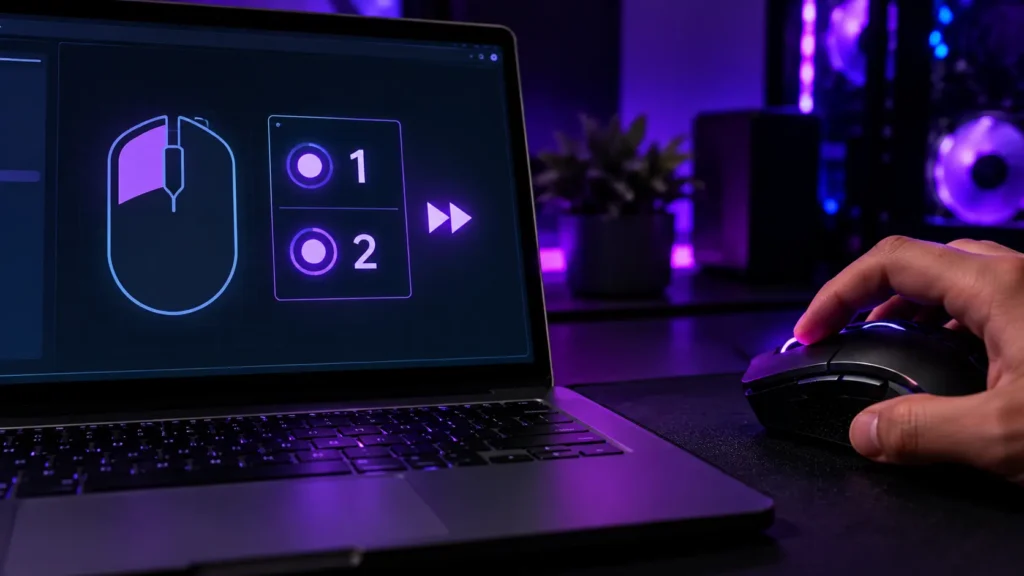
Fix No. 03: Opening the Mouse
Some owners do open their mice, and their stories are interesting. In several cases, the metal spring inside a switch had lost its tension. People bent it slightly to bring the pressure back, cleaned it with alcohol and put everything together again. Owners of the Logitech G102 and G300s show up a lot in these stories. Results varied, and not everyone got a happy ending.
Here’s the honest part. Opening the mouse usually voids the warranty, and one slip can wreck the board. If tiny parts make your hands shake, skip this. Claim the warranty or replace the mouse, because a mouse that keeps doubling is not worth a bad afternoon.

Fix No. 04: If Mice is Wireless
If your mouse is wireless, there’s one more suspect. If the doubles or delays come and go, check the connection. A receiver sitting next to a Wi-Fi router or a pile of gadgets can pick up interference. Move the receiver closer, or use a short USB extender. Keep the battery charged, since low power can make some mice act strange. And plug the receiver straight into the PC instead of a crowded hub.
During intense gaming sessions, our team, SetupSwag, noticed a critical double-clicking issue and successfully eliminated it by upgrading our rigs to the Logitech G502 X. Traditional mechanical mice were causing accidental double-fires due to degraded copper contacts, so our engineering division deployed the G502 X specifically for its LIGHTFORCE hybrid optical-mechanical switches. By utilizing an optical light beam for input actuation instead of wearing metal parts, we completely eradicated the hardware flaw, restoring 1:1 input precision and securing our competitive edge.

Fix No. 05: Check Tracking and Polling
Double clicks are not the only thing that can go wrong, so let’s look at two more checks while the mouse is on your desk.
First, tracking. Open a paint app, grab a thin brush and draw a few slow circles. If the line stays smooth, the sensor is happy. If it jumps around, there’s probably gunk on the sensor window. Wipe it, then try another pad.
Next, polling. This is how often the mouse tells your PC where it is. Most gaming mice should sit at 1,000Hz, and some go higher. Run a polling rate tester and wave the mouse around. If the number swings all over the place, something’s off. Our polling rate explainer explains what those numbers mean.
What We Saw, and What Buyers Say
Spec sheets do not tell you much about how a click feels. So our team paid close attention to clicks during hard testing, and this is what we saw.
Here, these reviews are given.
Our team saw:
- Logitech G502 X: We ran it through a long stretch of fast, repeated movement. The clicks stayed sharp the whole time, and tracking did not drift. Its hybrid optical-mechanical switches are the reason we kept watching the clicks.
- SteelSeries Prime: We put it through back-to-back competitive sessions. It held up well late into each one, and quick repeated clicks stayed consistent with no lag creeping in.
- Corsair Katar Pro XT: We tested it in fast-paced FPS games, mainly to see how the Quickstrike buttons handled rapid clicking. The response stayed steady, and no delay showed up.
What buyers say:
Owners say much the same. Prime owners who’ve had it for a year or more say the responsiveness has not really changed. You only notice that after months of daily clicking. Katar buyers often talk about how fast they got used to its light weight. The complaints are small, like a shape that takes a day or two to settle in, or software that feels a bit fiddly.
Where our team and buyers agree
Clean, consistent clicks are what people notice first. A mouse that double clicks rarely fixes itself, so deal with it early. And settings matter more than most players expect, so check those before you give up on the hardware.
Keeping Your Mouse Healthy
Every switch wears out eventually. You can slow that down, though. Keep the mouse clean, do not pound the buttons, and keep snacks away from your desk.
If a new mouse feels off in the first few weeks, return it while you still can. How long a gaming mouse lasts gives you a rough idea of what to expect. And if you’re shopping, what makes a good gaming mouse is worth a read.
Final Verdict
A double click is one press counted twice. Latency is a click that arrives late. They feel similar in a match, but they need different fixes.
So check Windows, clean the mouse, test it, and adjust debounce. Try the software workaround if you would rather not open anything. And if the doubling keeps coming back, it’s probably time to move on to a new mouse.
Frequently Asked Questions (FAQs)
Everything on this page comes from our team’s own experience, along with feedback from Amazon buyers and other verified users. We try to be straight about what we have seen, but experiences differ, and something that felt great to us would not necessarily feel the same to you. Fit, feel and habits are personal, so treat our advice as a starting point, not a promise.
We also pay attention to what real owners keep saying, not just what a spec sheet promises. If something looks great on paper but users keep flagging the same issue, we will mention it.
14 Responses