
Best Gaming Mouse for Large Hands: 5 Picks That Actually Fit
Finding a gaming mouse that actually works for large hands is trickier than it sounds. A mouse that feels perfect for someone with smaller or medium hands can feel completely cramped once your fingers start extending past the buttons or your palm is not getting any real support underneath it.
If you have got larger hands, the things worth paying attention to are shape, width, length, height, hump position, thumb support, and how far you have to reach for the side buttons. Weight matters too, but a mouse that actually fits your hand will usually matter more than shaving off a few grams.
A mouse that’s sized right lets your hand rest naturally instead of forcing your fingers to curl awkwardly or stretch toward the controls. That difference becomes a lot more obvious during long sessions, where a bad fit turns into real discomfort rather than a minor annoyance.
We compared five mice with very different shapes and feature sets and gave each one its own lane based on large-hand comfort, gaming style, control layout, customization, and overall value.
Our Top Recommendation
The GravaStar Mercury M1 Pro is the strongest all-around choice if you want genuine ergonomic comfort paired with premium wireless performance and battery life that does not leave you reaching for a cable every other day.
If you play MMO or MOBA titles and need a serious number of buttons within thumb reach, the Corsair Scimitar Elite Wireless SE is the better call. The Corsair Dark Core RGB Pro is worth a closer look if you want interchangeable side grips and a fuller shape you can actually adjust to your hand rather than being locked into one fixed profile.
The Acer Predator Cestus 350 Wireless makes more sense if you want multiple saved profiles and a broader feature set, while the Redragon Large Wireless Gaming Mouse is the practical pick if you specifically need a large-hand mouse without spending a lot to get one.
Why Fit Actually Matters Here
A mouse that’s too small forces a large hand into an awkward grip whether you notice it right away or not. Your fingers end up hanging off the front buttons, your palm loses support, and the side buttons suddenly feel farther away than they should. None of that feels like a big deal in the first ten minutes, it’s the two-hour session where it starts to show up as real fatigue and missed clicks.
Choosing a mouse actually built around a larger hand fixes most of that without asking you to change your natural grip. These same fit principles are part of what makes a good gaming mouse in general; shape, comfort, and control all have to work together, not just look good on a spec sheet.
How We Selected These Mice
We focused on what actually matters to large-handed users: overall shape, palm support, where the controls sit, weight, grip compatibility, connectivity, and feature set. Grip style plays a bigger role here than people expect, so it’s worth reading palm vs. claw vs. fingertip grip if you’re not sure which one describes how you actually hold a mouse.
A mouse labeled large is not automatically comfortable for a large hand. Width and hump placement matter just as much as overall length, and button positioning decides whether you can reach a side button without stretching your thumb awkwardly. Weight still plays a role in how controlled a mouse feels over time, our gaming mouse weight guide explains how lighter and heavier builds feel different in real use, not just on paper.
We also gave each mouse here its own category based on what it’s genuinely best at, instead of calling every option “the best large-hand mouse” and leaving you to guess the difference. For a broader framework on how these factors apply across mice in general, our guide to choosing the right gaming mouse is worth reading alongside this one.

Quick Comparison Table
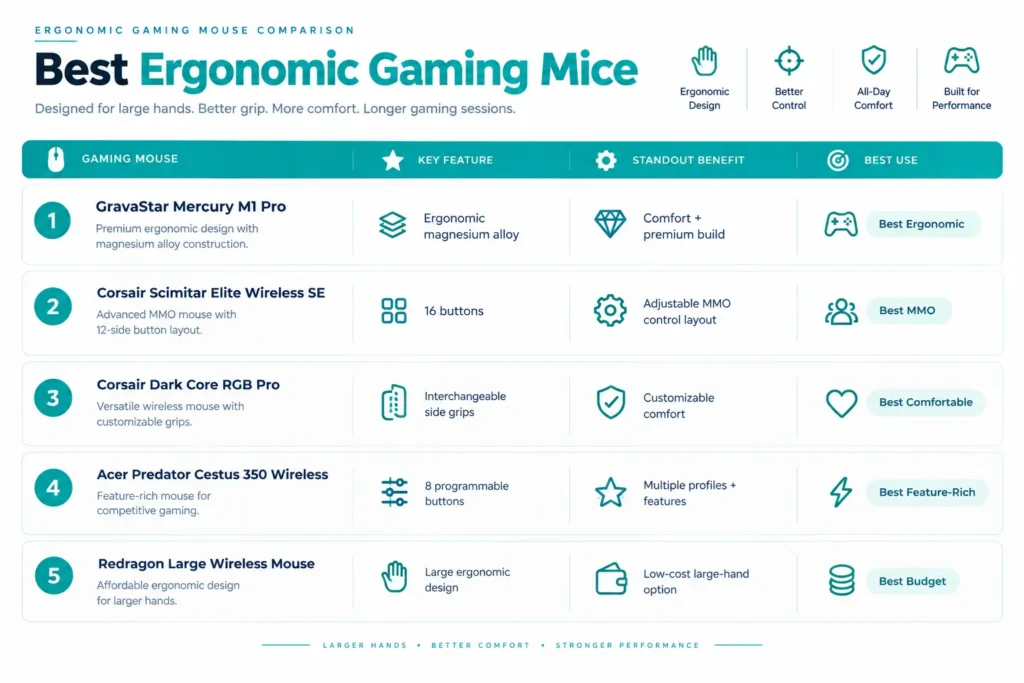
| Gaming Mouse | Key Feature | Standout Benefit | Best For |
|---|---|---|---|
| GravaStar Mercury M1 Pro | Ergonomic magnesium alloy | Comfort + premium build | Best Ergonomic |
| Corsair Scimitar Elite Wireless SE | 16 buttons | Adjustable MMO control layout | Best MMO |
| Corsair Dark Core RGB Pro | Interchangeable side grips | Customizable comfort | Best Comfortable |
| Acer Predator Cestus 350 Wireless | 8 programmable buttons | Multiple profiles + features | Best Feature-Rich |
| Redragon Large Wireless Mouse | Large ergonomic design | Low-cost large-hand option | Best Budget |
Best Gaming Mice for Large Hands Reviews

The GravaStar Mercury M1 Pro earns the top spot because it puts real hand support alongside serious gaming performance instead of treating comfort as an afterthought. The fuller ergonomic shape appeals most to players who want their hand to rest naturally rather than fighting an aggressively compact esports profile all session long.
The magnesium-alloy build gives it a premium, solid feel in the hand without turning it into a heavy brick; paired with a PAW3395 sensor and five programmable buttons, it has enough capability for competitive play without piling on controls you will never use. People who have made the switch from a smaller symmetrical mouse tend to describe an almost immediate difference: the palm actually has somewhere to rest instead of hovering slightly above the shell.
The claimed 200-hour battery life is a real practical win too, it’s the kind of number that means you genuinely stop thinking about charging, which matters more once you are a few weeks into daily use rather than in the first excited days out of the box. For large-handed gamers specifically, that combination of ergonomic support and long wireless stretches makes it a far more livable everyday mouse than something built purely around shaving grams. If you want more premium wireless options while staying under this price point, our best wireless gaming mouse under $200 guide has additional comparisons.
The M1 Pro suits players who want a genuinely supportive shape without giving up a modern sensor or a clean, simple control layout. It’s less about button count and more about a balanced, comfortable premium experience day to day. For a broader look at wireless options across different shapes and use cases, see our best wireless gaming mouse guide.
Where It Shines
- Ergonomic design
- Magnesium-alloy construction
- PAW3395 sensor
- Claimed 200-hour battery life
- Five programmable buttons
- Premium build feel
- Strong comfort-to-performance balance
- Well suited to long sessions
Where It Lags
- Five buttons can feel limiting if you play MMO titles
- Ergonomic shape would not appeal to players who prefer symmetrical mice
- Premium build is more than casual users strictly need
- Large-hand comfort still comes down to personal grip preference at the end of the day

This is the clear specialist pick for MMO gaming, especially if you’ve got large hands and need a genuinely large number of controls within easy reach. The 16-button layout and adjustable side-button positioning make it far easier to keep abilities, macros, and shortcuts under your thumb instead of hunting for a hotkey mid-fight.
That command-heavy layout combined with a fuller MMO-oriented shape makes it a lot more specialized than a typical FPS mouse, and that’s exactly the point. Players who have spent real time customizing the side-button positions tend to say the adjustment period is short but real; once the buttons are actually placed where your thumb naturally lands, reaching for a dozen abilities stops feeling like a stretch. It also brings a claimed 150-hour battery life, Bluetooth connectivity, and up to 33,000 DPI, giving it plenty of flexibility beyond its core MMO role. If you want wireless options at a slightly lower price point, our best wireless gaming mouse under $150 guide covers more choices across different play styles.
Where It Shines
- 16 programmable buttons
- Adjustable side-button layout
- Up to 33,000 DPI
- Up to 150-hour claimed battery life
- MMO/MOBA-focused design
- Bluetooth connectivity
- Strong fit for command-heavy games
Where It Lags
- Button layout can feel overwhelming if you mainly play FPS titles
- More substantial than a lightweight competitive mouse
- Getting real use out of every side control takes some setup time
- A lot of the extra functionality is simply unnecessary for simpler gaming setups

The Dark Core RGB Pro is for gamers who want a comfortable, fuller mouse with some actual flexibility in how it fits the hand. The interchangeable side grips and dedicated thumb rest matter more than they sound like on paper, being able to physically adjust the feel of the mouse instead of being stuck with one fixed side shape is a real difference once you have tried both configurations back to back.
It backs that comfort focus up with real gaming specs: an 18,000 DPI sensor, eight programmable buttons, and 1000Hz polling, which together make it a genuinely practical option for FPS and MOBA players, not just a comfort-first mouse that happens to work for gaming. The sub-1ms wireless positioning is the detail that convinces most skeptical wireless holdouts, it removes the “is this actually as responsive as wired” doubt that a lot of people still carry into their first wireless mouse. For more on what that 1000Hz figure actually means for how your mouse reports movement, see our guide to polling rate.
Where It Shines
- Interchangeable side grips
- Dedicated thumb rest
- Up to 18,000 DPI
- Eight programmable buttons
- 1000Hz polling
- Sub-1ms wireless positioning
- Strong FPS and MOBA versatility
- Comfortable fuller design
Where It Lags
- Heavier than a dedicated lightweight esports mouse
- Eight buttons is more than some FPS players will ever use
- Interchangeable grip system adds a layer of complexity some people would not bother with
- Ergonomic design is right-handed only, limiting flexibility for lefties

The Cestus 350 is for gamers who had rather have options than a stripped-down minimalist mouse. It packs in eight programmable buttons, onboard memory, five saved profiles, RGB lighting, and a PixArt 3335 sensor, giving you a lot of room to customize the setup exactly how you want it. If you want a more accessible price point while still comparing feature-rich wireless models, our best wireless gaming mouse under $100 guide is a good next stop.
The five saved profiles turn out to be more useful in practice than they sound, switching between games or applications without manually reconfiguring buttons every time saves real friction once you have actually set them up for the games you play most. If you are the type who wants to check whether a profile change is actually working as intended rather than just trusting the settings menu, our guide to testing gaming mouse performance and accuracy covers what’s worth checking beyond the spec sheet.
The NVIDIA Reflex support gives it a genuinely enthusiast-focused identity, and going wireless keeps cable drag off the desk entirely. For large-handed gamers specifically, the feature-heavy approach works well if you would rather have a more substantial mouse packed with controls than a stripped-down competitive shell. For a broader range of wired options across budgets, see our best wired gaming mouse guide.
It’s not as specialized for MMO play as the Scimitar, and it’s not as comfort-focused in its modular design as the Dark Core. Its real strength is the balance; gaming performance, customization, saved profiles, and wireless freedom all in one package.
Where It Shines
- Eight programmable buttons
- Onboard memory
- Five profile settings
- PixArt 3335 sensor
- NVIDIA Reflex support
- RGB lighting
- Wireless design
- Strong customization potential
Where It Lags
- Feature set can feel like overkill for casual play
- Sensor platform is a step behind some newer premium mice
- Eight buttons may be unnecessary for a simple FPS setup
- Not as specialized for MMO play as a dedicated MMO mouse
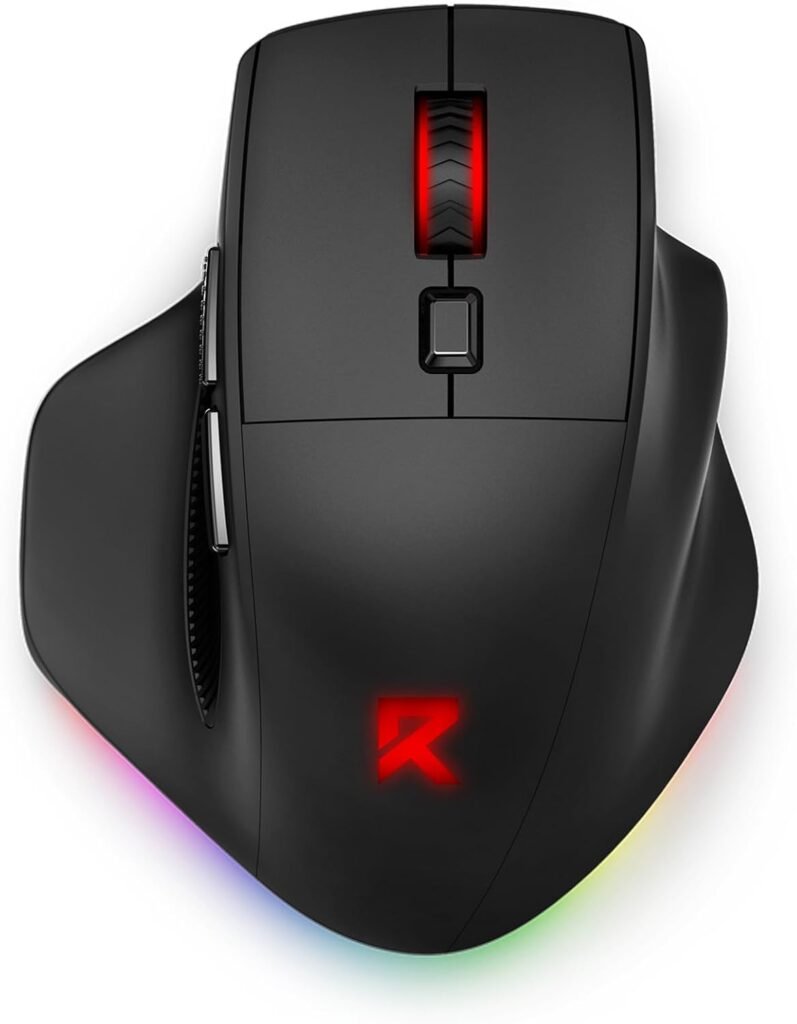
The Redragon is the value pick for anyone specifically looking for a large-hand mouse without spending premium money to get one. Tri-mode connectivity, a rechargeable design, RGB lighting, programmable macro support, and a genuinely large ergonomic shape give it a practical feature set that punches above its price. For more affordable wireless options in general, our best wireless gaming mouse under $20 guide compares other budget picks with different priorities.
Its appeal is refreshingly simple: you get a bigger gaming-focused shape and wireless flexibility without paying premium prices to get there. Buyers who have picked this up mainly for the fit tend to describe it as a genuine relief compared to squeezing into a standard-size mouse, it’s not chasing the newest sensor technology, it’s just sized for a hand that most mice on the market ignore. It’s the right call for gamers who care more about basic comfort and everyday versatility than chasing the latest tracking hardware. For more budget wired options, see our best wired gaming mouse under $20 guide.
Where It Shines
- Large ergonomic design
- Tri-mode connectivity
- Rechargeable wireless operation
- RGB lighting
- Programmable macro support
- Two side buttons
- Genuinely budget-friendly
- Built specifically for larger hands
Where It Lags
- Sensor hardware is a step behind premium alternatives
- Side-button count is limited
- Less suited to competitive, high-stakes play
- Build quality and software experience can vary a bit between units
Final Thoughts
The best gaming mouse for large hands should give your palm real support, keep your fingers in a natural position, and let you reach every button without stretching for it.
The GravaStar Mercury M1 Pro is our top pick for ergonomic comfort combined with genuinely strong wireless performance. The Corsair Scimitar Elite Wireless SE is the specialist choice for MMO and MOBA gaming, while the Corsair Dark Core RGB Pro offers a strong mix of comfort and adjustable grips. The Acer Predator Cestus 350 Wireless suits gamers who want a broader feature set and multiple profiles, and the Redragon Large Wireless Gaming Mouse gives budget-conscious buyers a simple way into a properly sized mouse.
Before you buy, actually measure your hand and compare it against length, width, height, hump position, and grip compatibility rather than trusting the word large printed on a box. Physical fit will affect your comfort and control far more over a long session than maximum DPI or how good the RGB looks in a product photo.
Frequently Asked Questions (FAQs)
We cannot physically test every product in every roundup — with dozens of gaming mice covered across this site, that’s simply not realistic for our team. What we do instead is verify every listing against the manufacturer’s official specs, cross-check claims across multiple independent reviews and long-term user reports, and pull out patterns from real buyer experiences on platforms like Amazon. When we do get hands-on with a specific product, we will say so directly in that section.
Our recommendations reflect what verified users and independent testers consistently report — not just what a spec sheet promises. If something looks great on paper but users repeatedly flag an issue, we mention it. That’s the standard we hold every pick on this list to.
One Response