
Which Way Do You Hold Your Mouse? Palm, Claw or Fingertip
Quick test. Stop reading and look at your mouse hand. Is your whole palm sunk into the shell? Are your fingers arched with just the heel of your hand touching? Or are you perched on your fingertips like the mouse is hot?
Honestly, most of us never chose a grip. We started gaming and our hand figured it out on its own. That’s fine, until a mouse feels wrong and nobody can say why. Nine times out of ten, the grip and the mouse just do not get along.
The Short Answer
Palm means your whole hand rests on the mouse. Claw means your palm touches the back while your fingers curl over the buttons. Fingertip means only the tips make contact. Big mice tend to suit palm, small light ones suit fingertip, and claw sits somewhere in the middle.
There’s no outright winner. Your hand and your games decide it.
Quick Breakdown Table
| Grip | How it feels | Best for | Watch out for |
|---|---|---|---|
| Palm | Whole hand resting on the mouse, very relaxed | Larger hands, long sessions, smooth wide sweeps | Slower fine corrections |
| Claw | Palm on the back, fingers arched over the buttons | Medium hands, fast clicks with decent comfort | Tension in the fingers over long sessions |
| Fingertip | Only the fingertips touch, mouse sits above the hand | Smaller hands, quick flicks, very light mice | Tired fingers, and big mice are hard to handle |
None of this is a verdict on you. It’s just where most players tend to end up.
What a Grip Actually is
It’s simply how your hand sits on the mouse. But it quietly controls where your fingers land, whether you aim from the wrist or the fingers, and how your hand feels after a long night of ranked.
You are not locked in, either. Plenty of players grip one way in one game and switch for the next. Treat the three names as a rough map, nothing stricter than that.
Palm Grip
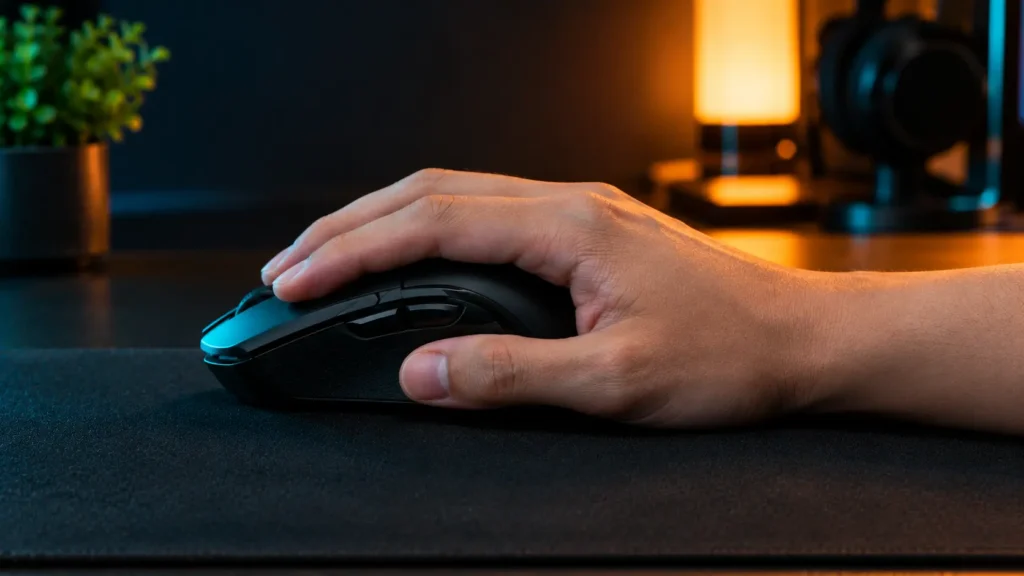
This is the comfy one. Your whole palm rests on the back of the mouse and your fingers lie flat on the buttons. It’s a bit like leaning your hand on the arm of a sofa.Because your hand is so well supported, your fingers do not tire quickly. You steer from the wrist and forearm, which feels lovely for big smooth swipes. Wide flicks in a shooter, long drags in a strategy game, that kind of thing.
Small corrections are where it struggles. Flat fingers are slow at nudging things by a hair. And a tiny shell leaves your hand hanging off the sides, so palm players usually want something bigger.
Large hands and hours-long sessions? You will probably end up here.
Claw Grip
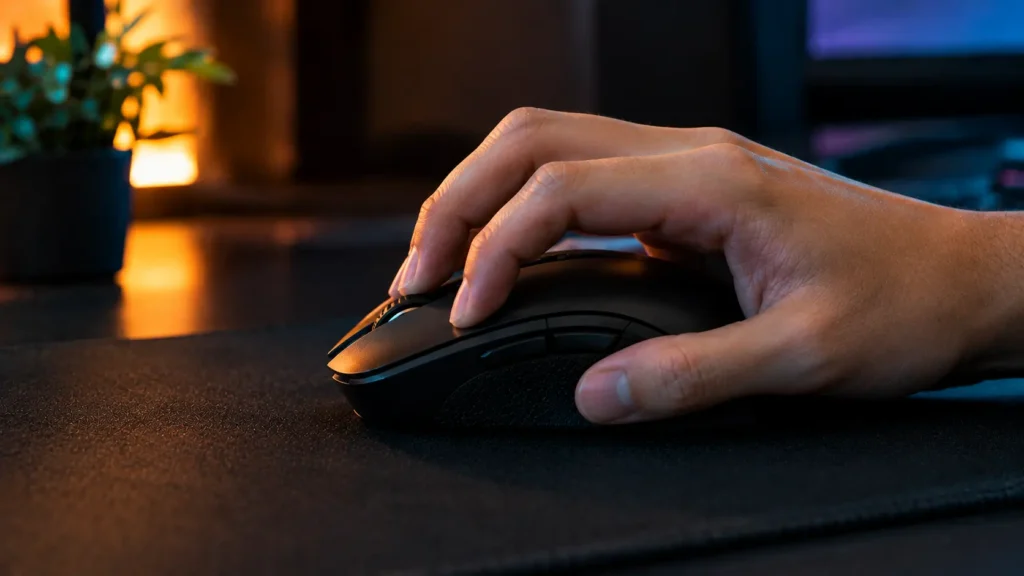
This is the in-between. The back of your palm touches the mouse, but your fingers arch up and press the buttons from above. That’s where the name comes from.
The arch gives you snappy clicks and quick little adjustments, while your palm still takes some of the weight. It’s a big reason so many shooter players land here. You get a bit of both worlds. There’s a catch, though. Hold that arch tight for too long and your knuckles start to complain. It also likes a mouse with a decent hump toward the back, so your palm has something to lean on.
Medium hands often fit well, and so do people who cannot choose between the other two.
Fingertip Grip
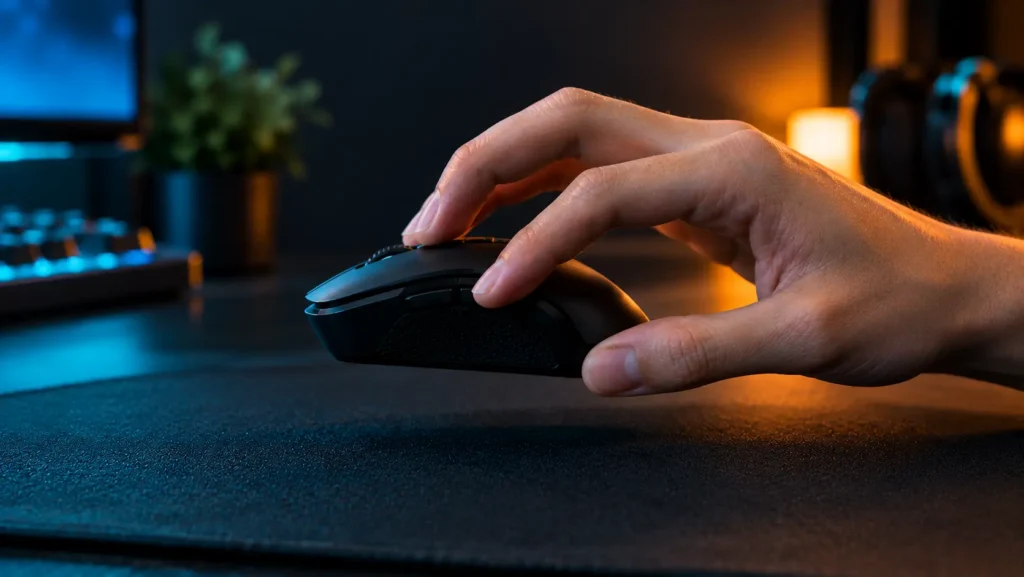
This is the twitchy one. Your palm never touches the mouse. It’s just your fingertips, with the mouse floating slightly above your hand, so tiny finger movements send it around. It’s great for quick flicks and fine corrections, and a very light mouse feels brilliant this way. There’s hardly any hand weight dragging against it.
Your fingers do all the work, though, and after a few hours that wears you out. Go too big or too heavy and you will struggle to even lift the thing. It really wants something compact.
Smaller hands and fast, jumpy aim usually end up here.
How your Hand Size Changes things
Hand size matters, but it is not everything. Bigger hands often go palm, medium hands claw, and smaller hands fingertip. Often, not always. Plenty of big-handed players use claw, and plenty of small-handed ones are happy with palm.
Here’s an easy check. Pick up your mouse and see where your fingers land. Stretching to reach the buttons? It may be too small for the way you hold it. Fingers barely reaching the front? It’s probably too long. Our guide on what makes a good gaming mouse covers shape and size in plain words.

Weight and Grip
Weight changes how a grip feels. Fingertip and claw players tend to like lighter mice, since they lift and flick with their fingers. Palm players can carry more weight, because the whole hand is holding it up.
To give you a feel for the range, makers list the Pulsefire Haste 2 at 53 g and the Viper V3 Pro at 54 g. Both are light and compact, so think claw or fingertip. At the heavy end, the Basilisk V3 Pro 35K is listed at 112 g, which works nicely with a palm grip. Those are maker numbers, so check the exact figure for the version you buy. Our gaming mouse weight guide goes deeper.

What Our Team saw
During our extended testing, the palm grip emerged as the clear winner for comfort, while the fingertip grip proved nearly impossible to sustain. Because both the UtechSmart Venus Pro and the ASUS ROG Spatha X are physically large, heavy-profile mice, team members who naturally used a palm grip comfortably cruised through six to eight-hour gaming sessions without any hand fatigue. In stark contrast, those attempting a fingertip grip struggled almost immediately; the sheer weight of these mice forced their fingers to strain just to maintain control, which completely threw off their micro-aim and ruined precision during intense moments.
Some team members attempted to switch to a claw grip to gain snappier aiming control, but the experience varied drastically between the two mice. On the UtechSmart Venus Pro, the claw grip worked surprisingly well, giving testers a secure anchor point that made clicking the 12 side buttons fast and intuitive during FPS and MMO matches. However, trying that same claw grip on the massive, 168g ASUS ROG Spatha X was an entirely different story; the extreme width and bulk quickly caused severe finger cramps, forcing our testers to abandon the grip within minutes and switch back to a full palm rest just to relieve the tension.
How to Find your Own Grip
Sit at your desk the way you normally do and grab the mouse without thinking. Now look. Palm flat on the shell? That’s palm grip. Palm on the back with fingers arched? Claw. Just the fingertips? Well, you know the answer.
Then try the other two for a few days each. You will feel the difference quickly. One will be easier on your hand, another better for flicking. Pick the one that makes you forget about your hand. If two feel equally good, a hybrid is completely normal.

Mistakes to Avoid
Changing your grip just because a pro uses a different one. It might not suit your hand, and forcing it can leave your aim worse for weeks.
Buying a mouse for the grip you wish you had. If you are a natural palm player and you buy a tiny fingertip-style mouse, it will feel cramped. Buy for the hand you actually have. And squeezing too hard. A death grip tires your hand and stiffens your aim. Hold it firmly but loosely, the way you would hold a pen.
Final Verdict
Want comfort and long sessions? Go palm. Want fast clicks with good support? Claw is the sweet spot for most people. Love flicking around with a tiny light mouse? Fingertip is your grip.
Our advice is not to overthink it. Use what feels natural, then find a mouse that fits. Get that right and everything else gets easier.
Frequently Asked Questions (FAQs)
Everything on this page comes from our team’s own experience, along with feedback from Amazon buyers and other verified users. We try to be straight about what we have seen, but experiences differ, and something that felt great to us would not necessarily feel the same to you. Fit, feel and habits are personal, so treat our advice as a starting point, not a promise.
We also pay attention to what real owners keep saying, not just what a spec sheet promises. If something looks great on paper but users keep flagging the same issue, we will mention it.
17 Responses